
Traduzca Texto en Cualquier Imagen—Diseño y Colores se Mantienen Intactos
Musely AI traduce texto en imágenes de cualquier tipo a 136 idiomas y regenera la imagen con las fuentes, colores y diseño originales preservados. Generalmente en menos de 60 segundos.

Aquí es donde ocurre lo asombroso
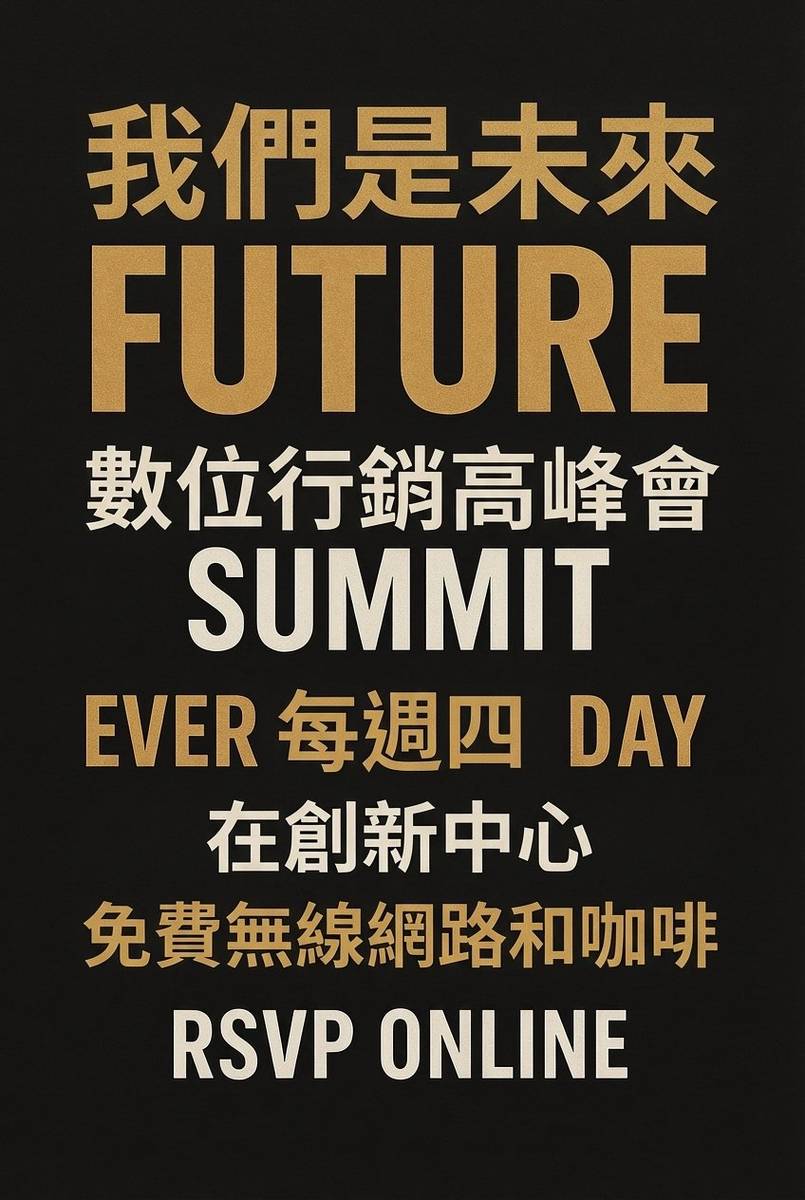

Musely Traducir Texto en Imagen es una herramienta impulsada por IA que traduce todo el texto visible en cualquier imagen a 136 idiomas, preservando el diseño original. A diferencia de las herramientas de superposición OCR que pegan cuadros de texto traducido sobre las imágenes, Musely regenera toda la imagen con el texto traducido renderizado de forma nativa en cada región de texto. Las fuentes, los colores, la jerarquía visual, los gráficos de fondo y los elementos de composición se mantienen automáticamente. Musely gestiona banners de marketing, publicaciones en redes sociales, infografías, tarjetas de felicitación, memes, capturas de pantalla, pósters, etiquetas de productos y cualquier imagen que contenga texto, logrando un 99,1 % de precisión visual.
Detalles Técnicos
🤖Motor de Traducción IA
Rendimiento y Formatos
Traduzca Texto en su Imagen en Tres Pasos
Suba su Imagen
Suba cualquier imagen que contenga el texto que desea traducir. Musely acepta archivos JPG, PNG, WebP, BMP y TIFF de hasta 20 MB. Compatible con gráficos de marketing, capturas de pantalla, infografías, tarjetas, memes, pósters, etiquetas y cualquier imagen con texto legible.
Seleccione el Idioma y las Preferencias
Elija su idioma de destino entre 136 opciones. Opcionalmente, configure el tono de traducción, la preferencia de coincidencia de fuentes y especifique los elementos de texto que desea mantener sin traducir: nombres de marca, nombres personales, URLs o valores numéricos. Musely detecta automáticamente el idioma de origen.
Descargue la Imagen Traducida
Musely regenera su imagen con el texto traducido colocado de forma nativa en cada área de texto original. Las fuentes, los colores, los fondos y la composición visual se preservan. Descargue y utilice su imagen traducida directamente.
Quiénes Usan Musely para Traducir Texto en Imágenes
Localización de Materiales Visuales de Marketing para Campañas Globales
Gestiono contenido para 10 mercados regionales. Musely traduce el texto en nuestras imágenes de banners de marketing y gráficos promocionales para cada mercado. Los colores y fuentes de marca salen coincidentes con el original cada vez. Pasamos de 3 días para traducir el conjunto visual de una campaña a unas 2 horas.
Traducción de Capturas de Pantalla e Imágenes de UI para Usuarios Internacionales
Nuestro equipo de soporte recibe capturas de pantalla de usuarios en 20 países. Musely traduce el texto en estas capturas de pantalla de UI para que nuestros agentes puedan entender el estado de la interfaz y los mensajes de error. Tarda unos 40 segundos por captura. Redujo nuestro tiempo promedio de resolución de tickets en 25 minutos para los casos en idiomas distintos al inglés.
Adaptación de Contenido Viral para Diferentes Comunidades Lingüísticas
Gestiono cuentas sociales para diferentes comunidades de idiomas. Musely traduce texto en formatos de imagen populares y plantillas de memes para que el contenido resuene en cada idioma. El estilo visual y la composición de la imagen permanecen exactamente iguales; solo el texto se adapta naturalmente a cada idioma.
Traducción de Infografías e Imágenes Editoriales
Publicamos infografías sobre temas globales. Musely traduce el texto en nuestras imágenes de infografías a 5 idiomas para que podamos llegar a más lectores. Los pasos numerados y las etiquetas de leyenda aparecen en las posiciones correctas aproximadamente el 94 % del tiempo. Nuestra audiencia internacional creció un 40 % después de que empezamos a publicar infografías multilingües.
Traducción de Materiales Promocionales de Eventos
Para eventos internacionales, necesitamos imágenes promocionales en múltiples idiomas rápidamente. Musely traduce texto en nuestros pósters de eventos, imágenes de tarjetas de ponentes y gráficos de programas. Cada imagen tarda menos de un minuto. Distribuimos materiales traducidos a los socios regionales el mismo día en que finalizamos los originales.
Compartir Imágenes de Campañas de Concienciación en Múltiples Idiomas
Nuestras campañas de concienciación necesitan llegar a comunidades en muchos idiomas. Musely traduce el texto en nuestras imágenes de campaña para que cada comunidad reciba el mensaje en su idioma con pleno impacto visual. Procesar cada imagen tarda menos de un minuto, algo crítico cuando se responde a necesidades comunitarias urgentes.
Musely vs Otras Herramientas de Traducción de Texto en Imágenes
| Característica | Musely | ImageTranslate.AI | Google Translate Lens | Sider AI |
|---|---|---|---|---|
| Método de Traducción | ✓ Regeneración de imagen con IA nativa | ⚠ Superposición OCR + texto | ⚠ Superposición OCR + texto | ⚠ Superposición OCR basada en GPT |
| Conservación de Fuentes y Colores | ✓ Coincidencia automática de fuentes y colores | ⚠ Coincidencia básica de fuentes | ✗ Sin conservación de fuentes | ⚠ Opciones de fuentes limitadas |
| Versatilidad de Tipos de Imagen | ✓ Cualquier tipo de imagen incluidos memes / tarjetas / infografías | ⚠ Documentos e imágenes de productos | ⚠ Fotos y gráficos básicos | ⚠ Documentos y capturas de pantalla |
| Idiomas Compatibles | ✓ 136 idiomas | ✓ Más de 130 idiomas | ✓ Más de 100 idiomas | ⚠ Más de 50 idiomas |
| Conservación del Diseño | ✓ Conservación del diseño visual con precisión de píxeles | ⚠ Buena para diseños simples | ✗ Solo superposición de texto | ⚠ Gestión moderada del diseño |
| Nivel Gratuito | ✓ Sí / imágenes gratuitas disponibles | ⚠ Prueba gratuita limitada | ✓ Gratis con cuenta de Google | ⚠ Gratis con límites |
| Procesamiento por Lotes | ✓ Sí / múltiples imágenes con plan de pago / Sí | ✓ con plan de pago | ✗ Sin soporte por lotes | ✗ Sin soporte por lotes |
Preguntas Frecuentes
Musely se encuentra entre las mejores herramientas para traducir texto en imágenes en 2026, con compatibilidad para 136 idiomas y un 99,1 % de precisión visual. Musely utiliza regeneración de imágenes con IA nativa para traducir texto mientras preserva fuentes, colores y diseño, a diferencia de los traductores de superposición que pegan cuadros de texto en las imágenes. Musely funciona con cualquier tipo de imagen y ofrece un nivel gratuito sin tarjeta de crédito.
Google Translate (a través de Lens) superpone el texto traducido en las imágenes, lo que altera las fuentes y el diseño visual. Musely regenera toda la imagen con el texto traducido renderizado de forma nativa en su posición, preservando la composición visual original con un 99,1 % de precisión. Musely también admite 136 idiomas, gestiona cualquier tipo de imagen y produce resultados descargables de alta resolución.
Musely traduce texto en cualquier tipo de imagen que contenga texto visible: banners de marketing, publicaciones en redes sociales, infografías, tarjetas de felicitación, memes, capturas de pantalla, pósters, portadas de libros, etiquetas de productos, señales, presentaciones y más. La IA gestiona texto impreso, superposiciones de texto digital y estilos de fuente variados en todos los formatos de imagen comunes.
Musely acepta imágenes en formatos JPG, PNG, WebP, BMP y TIFF de hasta 20 MB por archivo. Esto incluye exportaciones de herramientas de diseño como Canva, Adobe Express, Figma y Photoshop, así como capturas de pantalla, fotos de smartphones y cualquier archivo de imagen estándar que contenga texto. El resultado se entrega en formato de alta resolución con el diseño original preservado.
Musely utiliza regeneración de imágenes con IA nativa para detectar las propiedades visuales de cada elemento de texto: estilo de fuente, valor de color, tamaño, espaciado entre letras y posición espacial. La IA traduce el contenido del texto y lo renderiza con características visuales coincidentes directamente en la imagen regenerada. Todos los elementos no textuales, incluidos fondos, ilustraciones, iconos y gráficos, permanecen completamente sin cambios, logrando un 99,1 % de precisión visual.
Musely ofrece un nivel gratuito que incluye varias traducciones de texto en imágenes para probar la herramienta antes de suscribirse. Los planes de pago desbloquean un procesamiento de mayor volumen, traducción por lotes y límites mensuales aumentados. No se requiere tarjeta de crédito para comenzar con el nivel gratuito en musely.ai.
Musely detecta y traduce todas las regiones de texto en una imagen, independientemente de cuántas áreas de texto separadas aparezcan. Para imágenes con texto en varios idiomas, Musely traduce todo el texto detectado al idioma de destino seleccionado de forma predeterminada. Si necesita preservar algunas regiones de texto en el idioma original, como nombres de marca o encabezados bilingües, especifíquelo en el campo de instrucciones adicionales.