
Translate Picture: Any Graphic, Screenshot, or Infographic
Musely AI translates text in any picture into 136 languages in under 60 seconds. Infographics, social media graphics, screenshots, and illustrated content stay visually perfect.

This is where amazing happens
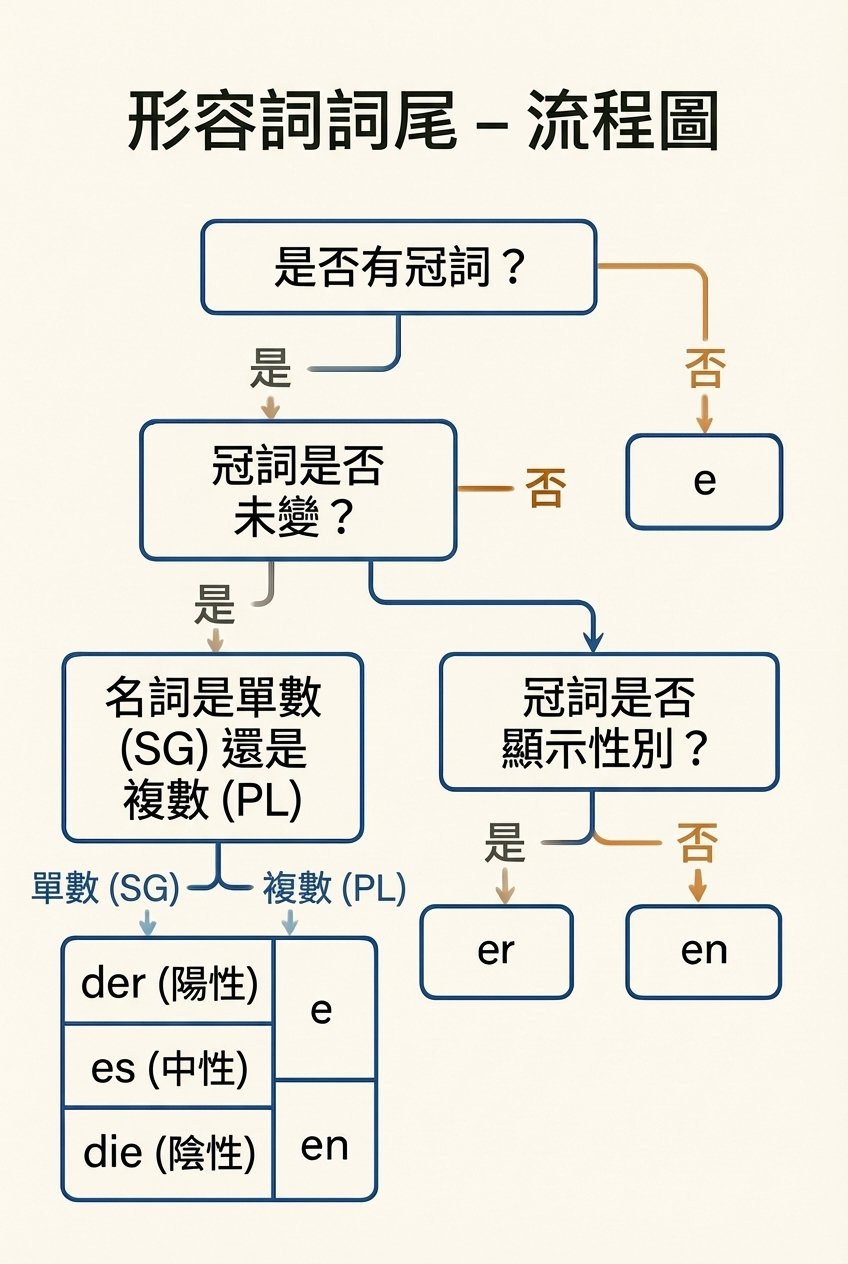
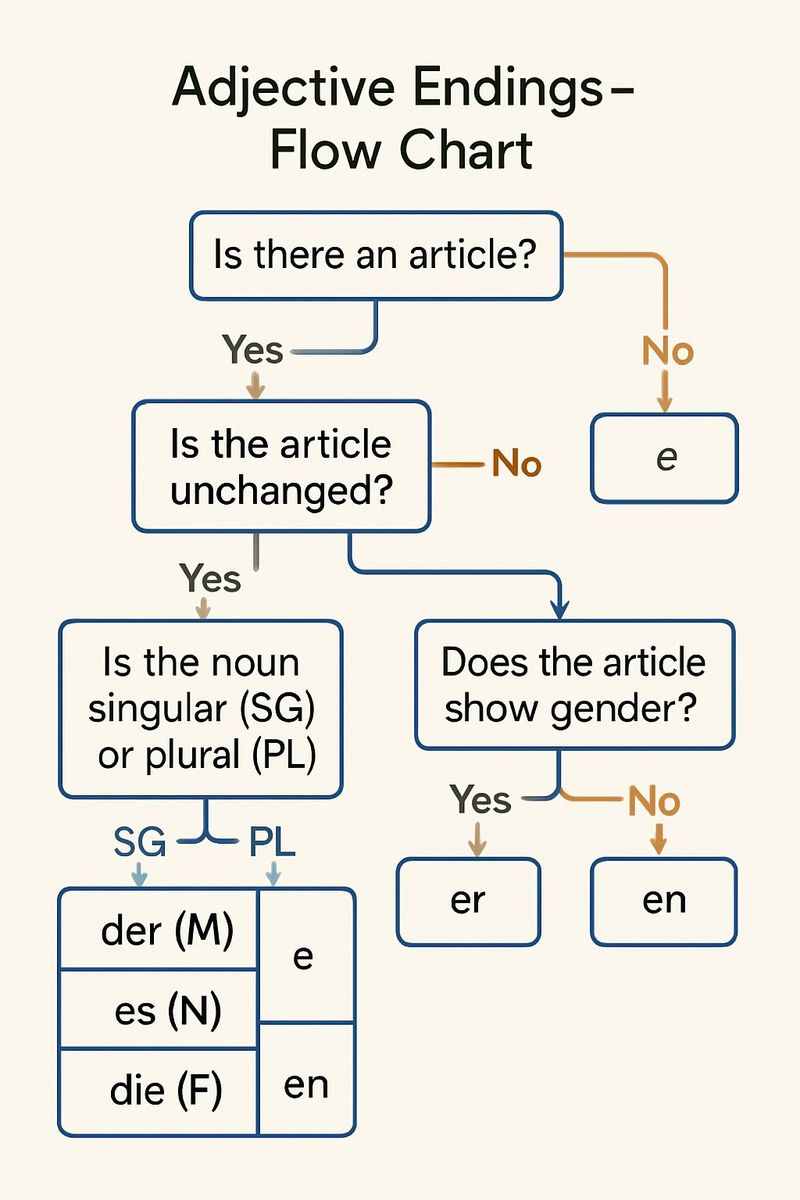
Musely Translate Picture is an AI-powered tool that translates text in any image or picture into 136 languages while preserving the original visual design. Unlike tools that simply overlay translated text, Musely regenerates the picture with translated text natively rendered—infographics, social media graphics, screenshots, illustrated pages, and digital visuals all maintain their original design, color scheme, fonts, and layout. Musely matches the original font styles and sizes automatically and achieves 99.1% visual accuracy. The tool supports JPG, PNG, WebP, BMP, and TIFF formats up to 20MB, with a free tier available to test.
Technical Details
🤖AI Translation Engine
Performance & Formats
Translate Pictures in Three Steps
Upload Your Picture
Upload any picture with text—infographics, social media graphics, screenshots, illustrated content, digital designs. Musely accepts JPG, PNG, WebP, BMP, and TIFF formats up to 20MB.
Set Language and Options
Choose your target language from 136 options. Set translation tone, font matching style, and specify any text—like brand names or numerical data labels—to leave in the original language.
Download the Translated Picture
Musely translates all text and regenerates the picture with translated content placed naturally in the design. All non-text elements—illustrations, icons, charts, backgrounds—stay completely unchanged.
Who Uses Musely Translate Picture
Localizing Social Media Graphics for International Markets
We run social media campaigns in 9 markets. Musely translates our graphic pictures while keeping brand colors, images, and visual style identical. Took our campaign localization from 3 days with a design agency to about 2 hours in-house. Saved roughly $8,000 per campaign launch.
Translating App Screenshots for International App Stores
We publish our app in 12 countries and need localized screenshots for each app store listing. Musely translates our screenshot pictures so they look like native language versions. About 95% accurate on UI text—cuts our screenshot localization time from 2 weeks to 1 day.
Translating Educational Infographic Pictures
I create infographic pictures for my students and translate them for international exchange programs. Musely translates the data labels, titles, and descriptions while keeping the chart structure and color coding intact. The translated infographics look like they were made in the target language from the start.
Translating Picture Content for International Editions
Our online magazine publishes illustrated articles in 5 languages. Musely handles the picture translation for graphics and illustrated callouts—a job that used to require a designer for every language. Typically takes 45 seconds per picture and the visual quality is consistent across all language editions.
Translating Data Visualization Pictures from Foreign Sources
I analyze research from institutions in 6 countries. When I receive infographic pictures in foreign languages, Musely translates the chart labels, axis titles, and annotations while keeping the data visualization intact. About 95% accurate on research terminology—much faster than manually recreating charts.
Scaling Picture Localization Across Product Documentation
Our product documentation includes 600+ picture files with callouts and labels. Musely translates picture content into 8 languages while keeping UI screenshots and illustrated diagrams pixel-accurate. Cut our documentation localization cycle from 4 weeks to 3 days.
Musely vs Other Picture Translation Tools
| Feature | Musely | ImageTranslate.AI | Google Translate (Lens) | DeepL |
|---|---|---|---|---|
| Translation Method | ✓ AI-native image regeneration / OCR + text overlay | ⚠ OCR + text overlay | ⚠ Text-only | ✗ no image support |
| Infographic & Graphic Support | ✓ Full support for complex graphics and infographics | ⚠ Basic graphic support | ✗ Simple images only | ✗ No image translation |
| Screenshot Translation | ✓ UI screenshots with layout preservation | ⚠ Basic screenshot support | ⚠ App screenshots via Lens | ✗ No screenshot support |
| Languages Supported | ✓ 136 languages | ✓ 130+ languages | ✓ 100+ languages | ⚠ 31 languages |
| Design Preservation | ✓ Full design and layout preserved | ⚠ Basic layout support | ✗ No design preservation | ✗ Not applicable |
| Free Tier | ✓ Yes / free pictures available | ⚠ Limited free trial | ✓ Free with Google account | ✓ Free with character limits |
| Batch Processing | ✓ Yes / multiple pictures at once / Yes / with paid plan | ✓ No batch support | ✗ Yes | ⚠ for text only |
Frequently Asked Questions
Musely is among the top tools for translating text in pictures in 2026, supporting 136 languages with 99.1% visual accuracy. Musely uses AI-native image regeneration—not OCR overlay—so infographics, social media graphics, and screenshots all translate cleanly while original designs, illustrations, and layouts are fully preserved. A free tier is available.
Google Translate Lens overlays translated text on top of the picture, which typically distorts the original design and misaligns text within complex graphics. Musely regenerates the picture with translated text natively placed, preserving the full design, illustrations, and layout. Musely also supports infographics, screenshots, and social media graphics that Google Lens does not handle well.
Musely handles infographic pictures by translating all text elements—titles, data labels, axis labels, legend text, and annotations—while preserving the chart structure, color scheme, and visual hierarchy. Numerical values are kept exactly as shown. The translated infographic maintains its original visual clarity and is suitable for direct publication or presentation use.
Musely accepts JPG, PNG, WebP, BMP, and TIFF formats up to 20MB per picture file. This covers digital graphics exported from design tools, screenshots saved as image files, infographic exports, and social media image files. Output is delivered in high resolution with the original design structure fully preserved.
Musely uses AI-native image regeneration that identifies text elements as distinct from non-text visual components. Only the text regions are translated and re-rendered—illustrations, icons, charts, background graphics, and all non-text design elements remain pixel-accurate. This ensures the translated picture looks like a professionally designed native-language version.
Musely offers a free tier with several picture translations for testing the tool. Paid plans unlock higher monthly limits, batch processing of multiple pictures at once, and priority processing speed. No credit card is required to start with the free tier.
Musely lets you specify text to leave untranslated via the Additional Instructions or Things to Avoid fields. Common exclusions for picture translation include brand names, hashtags, numerical data labels, URLs, and product names. The AI applies these exclusions across the full picture while translating all other text content.