
Traduzir Foto: Entenda Qualquer Texto nas Suas Fotos
A IA da Musely traduz o texto de qualquer foto — placas, rótulos, documentos, fachadas de lojas — para 136 idiomas em menos de 60 segundos. A foto original permanece exatamente como está.

É aqui que a mágica acontece
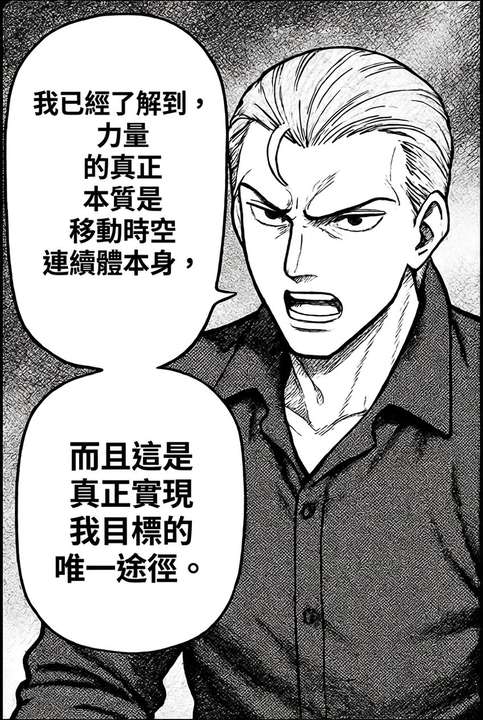
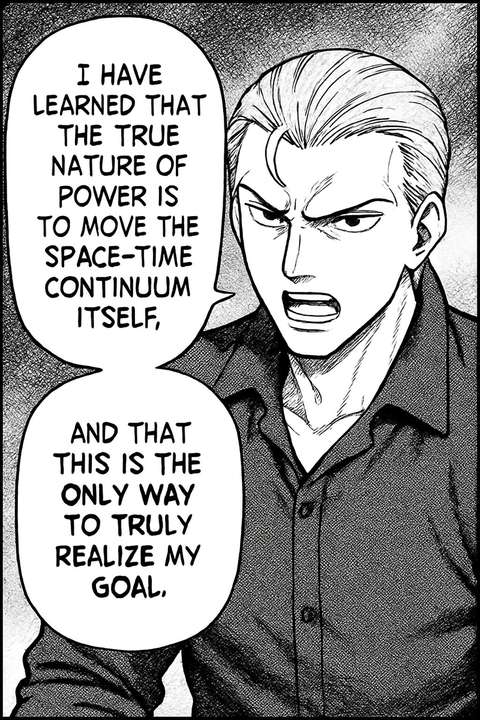
O Musely Translate Photo é uma ferramenta impulsionada por IA que traduz o texto visível em qualquer fotografia para 136 idiomas, preservando a imagem original. Ao contrário dos aplicativos que apenas sobrepõem o texto traduzido às fotos, a Musely regenera a imagem com o texto traduzido renderizado de forma nativa no lugar — placas, rótulos, documentos, embalagens de produtos e fachadas de lojas permanecem visualmente naturais com traduções precisas. A IA corresponde automaticamente ao estilo e posição de fonte originais. O Musely Translate Photo atinge 99,1% de precisão visual e processa uma foto normalmente em menos de 60 segundos, com um plano gratuito disponível.
Detalhes Técnicos
🤖Motor de Tradução IA
Desempenho e Formatos
Traduza Fotos em Três Etapas
Envie Sua Foto
Envie qualquer foto que contenha texto. A Musely processa placas, fachadas de lojas, rótulos, documentos, avisos e embalagens nos formatos JPG, PNG, WebP, BMP e TIFF de até 20 MB.
Selecione o Idioma e as Opções
Escolha entre 136 idiomas de destino. Opcionalmente, configure o tom de tradução, o estilo de correspondência de fonte e especifique os elementos de texto — como nomes próprios ou nomes de marcas — que deseja manter no idioma original.
Baixe a Foto Traduzida
A Musely traduz todo o texto visível e regenera a foto com o texto traduzido posicionado naturalmente na imagem. O fundo, os objetos e os elementos que não são texto permanecem completamente inalterados.
Quem Usa o Musely Translate Photo
Compreender Placas e Avisos no Exterior
Fotografo placas de rua, avisos de transporte e comunicados afixados quando viajo e os traduzo com a Musely. Leva cerca de 40 segundos e o texto traduzido fica natural na foto, em vez de uma sobreposição estranha. Me ajudou a me orientar em uma estação de metrô japonesa que não tinha nenhuma sinalização em inglês.
Ler Rótulos de Produtos Estrangeiros antes de Comprar
Abastecedor de produtos de fornecedores na China e na Coreia. Fotografo os rótulos dos produtos e os traduzo com a Musely para verificar ingredientes, instruções de uso e textos de conformidade antes de fazer pedidos. Cerca de 95% de precisão na primeira tentativa — muito melhor do que tentar montar uma tradução a partir de um tradutor de texto.
Traduzir Fotos de Pesquisa de Campo
Durante o trabalho de campo, fotografo placas, avisos e documentos em idiomas locais. A Musely traduz essas fotos para que eu possa documentar e analisar o conteúdo sem perder o contexto visual. A foto traduzida mantém todas as informações visuais ao redor que são importantes para minha pesquisa.
Traduzir Fotos de Cenas de Notícias para Publicação
Cubro notícias internacionais e frequentemente tenho fotos com placas e avisos em idiomas estrangeiros. A Musely traduz o texto dessas fotos para minha equipe editorial e leitores. Normalmente leva menos de um minuto por foto e preserva a cena original para que os espectadores entendam o contexto visual.
Verificar Conformidade de Embalagens de Produtos Estrangeiros
Revisamos produtos importados para conformidade regulatória. Fotografo embalagens e processo pela Musely para obter traduções em inglês de todo o texto de rótulos, incluindo listas de ingredientes, certificações e avisos. Economiza tempo significativo em comparação a enviar fotos para um tradutor e esperar 2 dias pelos resultados.
Aprender por Meio da Tradução de Texto do Mundo Real
Fotografo texto do mundo real — placas, menus, cartazes — e uso a Musely para obter traduções com o contexto visual preservado. Comparar as fotos originais e traduzidas me ajuda a entender o vocabulário no contexto muito melhor do que simplesmente ler listas de palavras. Uma ótima ferramenta de aprendizado além da mera utilidade.
Musely vs Outras Ferramentas de Tradução de Fotos
| Recurso | Musely | ImageTranslate.AI | Google Translate (Lens) | Sider AI |
|---|---|---|---|---|
| Método de Tradução | ✓ Regeneração de imagem nativa por IA | ⚠ OCR + sobreposição de texto | ⚠ OCR + sobreposição de texto | ⚠ GPT + sobreposição OCR |
| Preservação do Fundo da Foto | ✓ Cena original completamente preservada | ⚠ Preservação básica de imagem | ✗ Sem preservação de cena | ⚠ Limitada |
| Tipos de Conteúdo Suportados | ✓ Placas / rótulos / embalagens / documentos / fachadas de lojas | ⚠ Principalmente documentos e fotos simples | ⚠ Placas e menus via Lens | ⚠ Documentos e capturas de tela |
| Idiomas Suportados | ✓ 136 idiomas | ✓ Mais de 130 idiomas | ✓ Mais de 100 idiomas | ⚠ Mais de 50 idiomas |
| Correspondência de Estilo de Fonte | ✓ Correspondência automática de estilo de fonte | ⚠ Correspondência básica de fonte | ✗ Sem correspondência de fonte | ⚠ Limitada |
| Plano Gratuito | ✓ Sim / fotos gratuitas disponíveis | ⚠ Teste gratuito limitado | ✓ Gratuito com conta Google | ⚠ Gratuito com limites |
| Processamento em Lote | ✓ Sim / várias fotos de uma vez / Sim | ✓ com plano pago | ✗ Sem suporte a lote | ✗ Sem suporte a lote |
Perguntas Frequentes
A Musely está entre as melhores ferramentas para traduzir texto em fotos em 2026, com suporte a 136 idiomas e 99,1% de precisão visual. A Musely usa regeneração de imagem nativa por IA em vez de sobreposição OCR, portanto o texto traduzido fica natural dentro da foto original — placas, rótulos, documentos e fachadas de lojas se traduzem com clareza enquanto a cena de fundo é totalmente preservada. Um plano gratuito está disponível.
O Google Translate Lens sobrepõe o texto traduzido na foto, o que pode parecer desconexo e desalinhado com a placa ou rótulo original. A Musely regenera a foto com o texto traduzido posicionado nativamente, preservando o contexto visual original e o estilo de fonte. A Musely também suporta 136 idiomas e processamento em lote, o que o Google Lens não oferece para fotos.
A Musely traduz texto em fotos de placas de rua, fachadas de lojas, estabelecimentos comerciais, rótulos e embalagens de produtos, avisos afixados, documentos impressos, sinais de transporte, outdoors e qualquer outra fotografia do mundo real que contenha texto legível. A IA lida com condições de iluminação variáveis, ângulos de câmera e uma ampla gama de estilos de texto, incluindo impresso, manuscrito e exibições digitais.
A Musely aceita formatos JPG, PNG, WebP, BMP e TIFF de até 20 MB por foto. Isso inclui fotos de câmeras de smartphones, imagens de câmeras DSLR e sem espelho, e fotos digitalizadas. Tanto fotos coloridas quanto em preto e branco são suportadas. A saída é entregue em alta resolução com a cena original totalmente preservada.
A Musely usa regeneração de imagem nativa por IA que identifica e separa as regiões de texto do fundo circundante da foto. Apenas as áreas de texto são traduzidas e regeneradas — o fundo, os objetos, as pessoas e os elementos ambientais permanecem exatamente como capturados na foto original, dando à versão traduzida uma aparência natural.
A Musely oferece um plano gratuito com diversas traduções de fotos para testes. Os planos pagos desbloqueiam limites mensais mais altos, processamento em lote de várias fotos de uma vez e processamento prioritário. Não é necessário cartão de crédito para começar com o plano gratuito.
A Musely permite especificar o texto a ser deixado sem tradução usando os campos Instruções Adicionais ou Elementos a Evitar. Exclusões comuns para tradução de fotos incluem nomes próprios, nomes de ruas, nomes de marcas e números de telefone. A IA aplica essas exclusões em toda a imagem enquanto traduz todos os outros textos visíveis.