
Menüfotos übersetzen — Jede Restaurantkarte sofort verstehen
Musely AI liest fotografierte Menüs — gedruckt, Kreidetafel oder digitale Tafeln — und übersetzt in 136 Sprachen in unter 60 Sekunden, dabei bleiben Gerichtnamen, Preise und Layout erhalten.

Hier geschehen erstaunliche Dinge
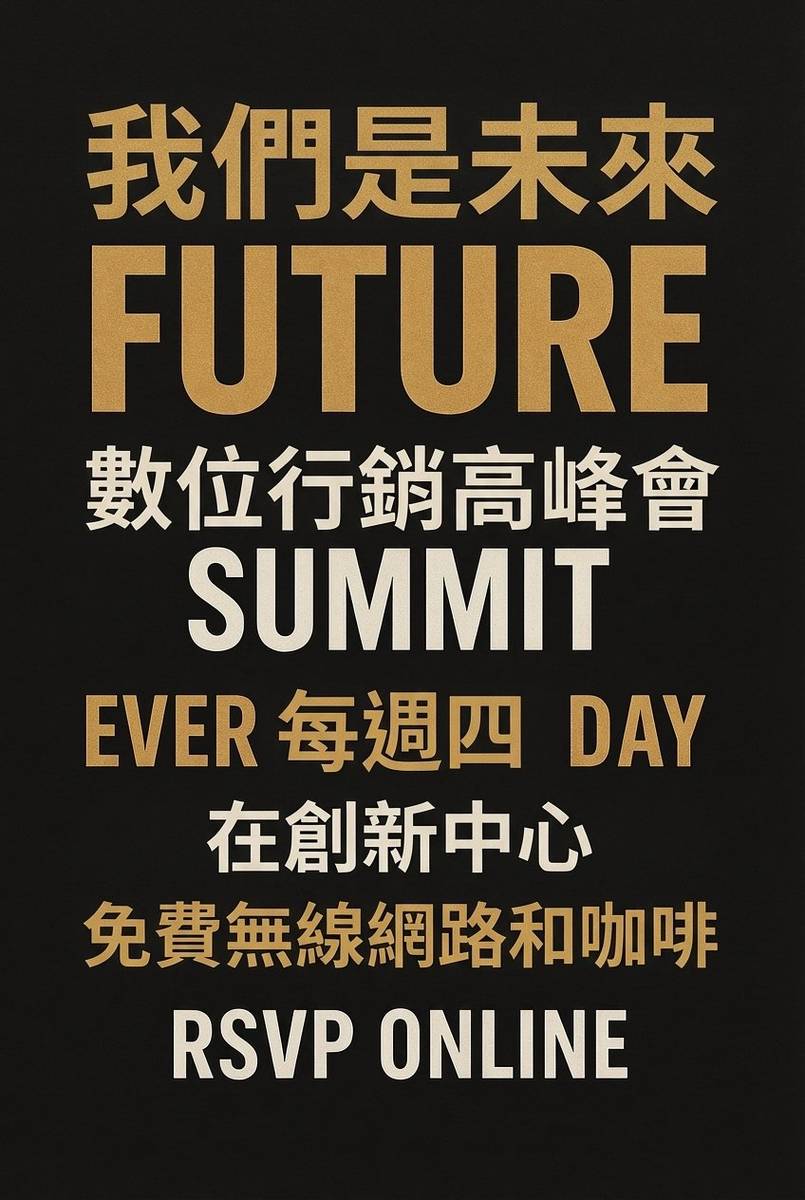

Musely Translate Menu Photo ist ein KI-gestütztes Tool, das Fotografien von Restaurantmenüs in 136 Sprachen übersetzt und dabei das vollständige visuelle Layout bewahrt. Musely korrigiert vor der Übersetzung die Kameraperspektive, die Umgebungsbeleuchtung und Reflexionen und regeneriert dann das Menübild mit nativ gerendertem übersetztem Text an seiner Stelle. Gerichtnamen, Beschreibungen, Preise, Abschnittsüberschriften, Lebensmittelfotos und dekorative Elemente bleiben alle korrekt positioniert. Im Gegensatz zu OCR-Overlay-Tools passt Musely den ursprünglichen Schrift- und Designstil automatisch an. Das Tool unterstützt gedruckte Menüs, Kreidetafeln und digitale Menütafeln und erreicht typischerweise in unter 60 Sekunden 99,1 % visuelle Genauigkeit.
Technische Details
🤖KI-Übersetzungsmotor
Leistung & Formate
Menüfotos in Drei Schritten Übersetzen
Menüfoto hochladen
Laden Sie ein Smartphone- oder Kamerafoto eines beliebigen Restaurantmenüs hoch — gedruckte Menüs, Kreidetafeln, LED-Tafeln oder Straßenimbiss-Schilder. Musely akzeptiert JPG, PNG, WebP, BMP und TIFF bis zu 20 MB.
Sprache und Optionen auswählen
Wählen Sie aus 136 Zielsprachen. Optional können Sie Übersetzungston, Schriftstil festlegen und Namen wie das Restaurant oder Weinproduzenten angeben, die in der Originalsprache bleiben sollen.
Übersetztes Menü herunterladen
Musely korrigiert Perspektive und Beleuchtung des Fotos, übersetzt den gesamten Text und regeneriert das Menü mit bewahrten Gerichtnamen, Preisen und Design. In hoher Auflösung herunterladen.
Wer Nutzt Musely zum Übersetzen von Menüfotos
Restaurantkarten im Ausland verstehen
Ich fotografiere Menüs in lokalen Restaurants auf Reisen und lass sie durch Musely laufen. In unter einer Minute bekomme ich eine übersetzte Version, die Gerichtnamen und Preise im Kontext zeigt — kein wortgetreuer Textdump. Das Bestellen ist viel weniger stressig, wenn ich Länder besuche, deren Sprache ich nicht spreche.
Reisegruppen bei lokalen Speisekarten helfen
Ich leite Gastro-Touren in Tokio und meine Gäste sprechen 6 verschiedene Sprachen. Ich fotografiere die Karte in jedem Restaurant und nutze Musely, um übersetzte Versionen zum Verteilen vorzubereiten. Das dauert etwa 45 Sekunden pro Sprache. Meine Gäste engagieren sich viel mehr mit der lokalen Küche, wenn sie verstehen, was sie bestellen.
Übersetzte Menüversionen aus Fotos erstellen
Unsere gedruckten Menüs werden von einer lokalen Druckerei gestaltet, und wir haben nur die Endfotos — keine Designdateien. Musely übersetzt direkt aus den gedruckten Menüfotos in 3 weitere Sprachen. Die übersetzten Versionen behalten unsere Schriften und den visuellen Stil nahe genug für die Restaurantanzeige. Das hat uns erspart, einen Designer für die Neuerstellung jeder Version zu bezahlen.
Ausländische Menüfotos für Blog-Inhalte übersetzen
Wenn ich über ein Restaurant im Ausland schreibe, füge ich übersetzte Menüfotos ein, damit meine Leser sehen können, was es gibt. Musely liefert mir saubere übersetzte Versionen meiner Restaurantfotos in unter einer Minute. Meine Leser in verschiedenen Ländern können auf Basis der Menüs, die ich veröffentliche, tatsächlich Reisen planen.
Gästen bei lokalen Restaurantoptionen helfen
Ich fotografiere Menüs von nahegelegenen Restaurants, die ich für Gäste parat halte. Mit Musely kann ich schnell übersetzte Versionen in der Sprache jedes Gastes vorbereiten. Für einen Gast, der nur Koreanisch spricht und zu einem französischen Menü-Dinner anreist, kann ich in etwa 50 Sekunden eine übersetzte Version bereit haben.
Produkt- und Menüunterlagen von Lieferanten lesen
Wir beziehen Speziallebensmittel von Lieferanten in 8 Ländern, und ihre Produktmenüs und Kataloge sind in Landessprachen verfasst. Ich fotografiere diese Materialien und nutze Musely für englische Übersetzungen, die das ursprüngliche visuelle Layout erhalten. Etwa 95 % Genauigkeit beim ersten Durchlauf — viel schneller als auf einen Übersetzer zu warten.
Musely vs Andere Menüfoto-Übersetzungstools
| Funktion | Musely | ImageTranslate.AI | Google Translate (Lens) | Sider AI |
|---|---|---|---|---|
| Übersetzungsmethode | ✓ KI-native Bildregenerierung | ⚠ OCR + Text-Overlay | ⚠ OCR + Text-Overlay | ⚠ GPT + OCR-Overlay |
| Unterstützung fotografierter Menüs | ✓ Korrigiert Perspektive und Beleuchtung in Fotos / Grundlegende Fotounterstützung | ⚠ Starke Fotounterstützung via Lens | ✓ Dokumentfokussiert | ⚠ eingeschränkte Restaurantfotos |
| Kreidetafelmenü-Unterstützung | ✓ Verarbeitet handgeschriebenen und Kreidetext | ⚠ Eingeschränkte Handschrifterkennung | ⚠ Eingeschränkte Handschrifterkennung | ⚠ Eingeschränkte Unterstützung |
| Unterstützte Sprachen | ✓ 136 Sprachen | ✓ 130+ Sprachen | ✓ 100+ Sprachen | ⚠ 50+ Sprachen |
| Design-Erhalt | ✓ Vollständiges visuelles Design und Layout erhalten | ⚠ Grundlegende Layout-Unterstützung | ✗ Kein Design-Erhalt | ⚠ Eingeschränkt |
| Kostenloses Kontingent | ✓ Ja / kostenlose Bilder verfügbar | ⚠ Eingeschränkte kostenlose Testversion | ✓ Kostenlos mit Google-Konto | ⚠ Kostenlos mit Limits |
| Stapelverarbeitung | ✓ Ja / mehrere Menüs gleichzeitig / Ja | ✓ mit kostenpflichtigem Plan | ✗ Keine Stapelverarbeitung | ✗ Keine Stapelverarbeitung |
Häufig Gestellte Fragen
Musely gehört zu den besten Tools zum Übersetzen von Menüfotos im Jahr 2026, unterstützt 136 Sprachen mit 99,1 % visueller Genauigkeit. Musely korrigiert vor der Übersetzung den Kamerawinkel und die Restaurantbeleuchtung und regeneriert dann das Menübild mit nativ platziertem übersetztem Text — Gerichtnamen, Preise und visuelles Layout bleiben intakt. Ein kostenloses Kontingent ist ohne Kreditkarte verfügbar.
Google Translate Lens legt übersetzten Text über das Menüfoto, was oft visuell unübersichtlich wirkt und mit dem ursprünglichen Layout nicht übereinstimmt. Musely regeneriert das vollständige Menübild mit nativ platziertem übersetzten Text und bewahrt Gerichtbeschreibungen, Preise und Design. Musely unterstützt 136 Sprachen und verarbeitet Kreidetafelmenüs, mit denen Google Lens oft Schwierigkeiten hat.
Musely verarbeitet Kreidetafelmenüfotos, indem KI den Kreide- und handgeschriebenen Text liest, dann das Menü in einem passenden lockeren Stil übersetzt und regeneriert. Standard-Kreidetext wird mit 95 %+ Genauigkeit übersetzt. Sehr dekoratives oder stilisiertes Handschreiben kann mit einer Genauigkeit von etwa 85 % übersetzt werden — einfache handgeschriebene Menüs funktionieren generell gut.
Musely akzeptiert JPG, PNG, WebP, BMP und TIFF bis zu 20 MB pro Datei. Dies deckt Smartphone-Kamerafotos, DSLR-Fotos und gescannte Menüseiten ab. Farbige und schwarz-weiße Menüfotos werden unterstützt. Die Ausgabe erfolgt in hoher Auflösung mit erhaltener ursprünglicher Visuelstruktur.
Musely verwendet KI-native Bildregenerierung, die beschreibenden Text übersetzt und dabei Preise als exakte numerische Werte bewahrt und Gerichtnamen nach Ihren Einstellungen entweder übersetzt oder nicht übersetzt lässt. Die KI identifiziert Preisformatierungsmuster und repliziert sie genau. Für Gerichtnamen, die Sie in der Originalsprache behalten möchten, nutzen Sie das Feld Nicht zu übersetzende Elemente.
Musely bietet ein kostenloses Kontingent mit mehreren Menüfoto-Übersetzungen zum Testen des Tools an. Kostenpflichtige Pläne schalten höhere monatliche Limits, Stapelverarbeitung mehrerer Menüfotos auf einmal und prioritäre Verarbeitungsgeschwindigkeiten frei. Für den Start mit dem kostenlosen Kontingent ist keine Kreditkarte erforderlich.
Mit Musely können Sie über die Felder Zusätzliche Anweisungen oder Nicht zu übersetzende Elemente Text angeben, der unübersetzt bleiben soll. Häufige Ausschlüsse bei der Menüfoto-Übersetzung umfassen den Restaurantnamen, Signature-Gerichtnamen in ihrer Originalsprache, Weinproduzentenamen und Markenartikel. Die KI wendet die Ausschlüsse auf das gesamte übersetzte Bild an.