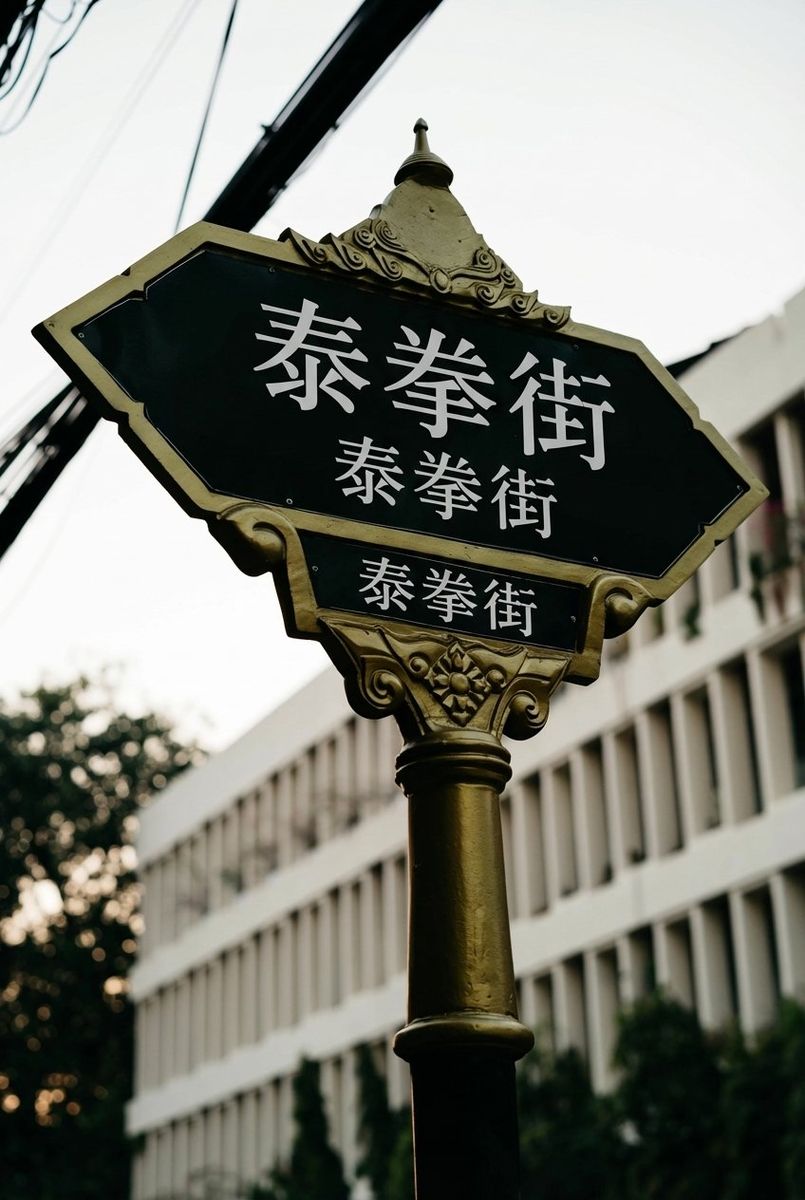
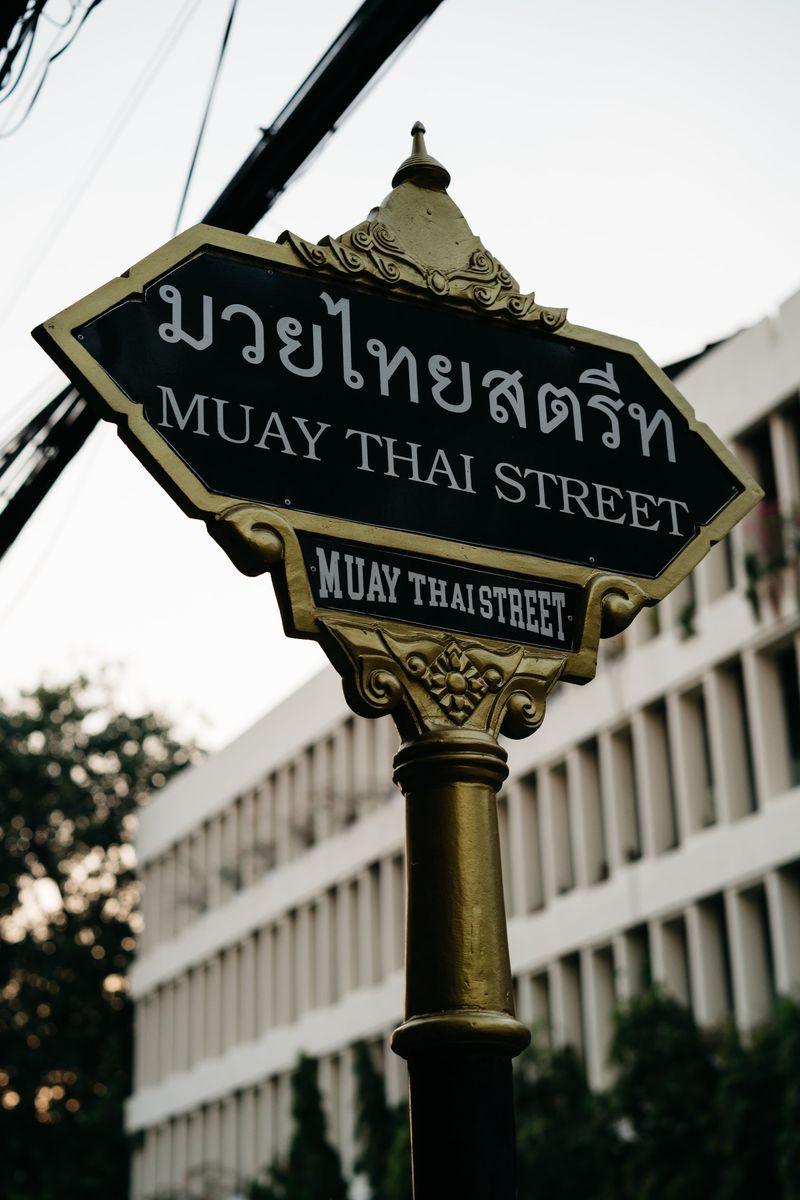
Translate Image Text in Any Language—Design Stays Perfect
Musely AI reads text from any image, translates into 136 languages, and regenerates the image with fonts and layout preserved. No design skills needed. Typically under 60 seconds.
This is where amazing happens


Musely Translate Image is an AI tool that translates text embedded in any image while preserving the original visual design. Unlike traditional OCR overlay translators that paste text boxes over images, Musely uses AI-native regeneration to render translated text directly within the image—matching fonts, colors, spacing, and layout automatically. The tool accepts any image type: photos, graphics, documents, signs, labels, menus, screenshots, and social media content. Musely supports 136 languages with automatic source language detection and achieves 99.1% visual and linguistic accuracy. A free tier is available.
Under the Hood
🤖AI Translation Engine
Performance & Formats
Translate Images in Three Steps
Upload Any Image with Text
Upload any image containing text—product labels, menus, signs, screenshots, documents, graphics, infographics, or social media content. Musely automatically detects all text regions and identifies the source language. Accepts JPG, PNG, WebP, BMP, and TIFF up to 20MB.
Choose Your Target Language
Select from 136 target languages. Musely auto-detects the image's source language. Optionally configure translation tone—natural fluent, formal, casual, marketing, or technical—and specify any terms to keep untranslated. The AI handles all typography and layout decisions automatically.
Download the Translated Image
Musely AI regenerates your image with translated text natively placed. Fonts, colors, spacing, and layouts are preserved at 99.1% visual accuracy. Download the high-resolution translated image and use it immediately.
Who Uses Musely to Translate Images
Localizing Product Images for Global Markets
I sell on Amazon in 9 countries. Musely translates my product label and packaging images across 8 languages in about 45 seconds each. The translated text fits perfectly inside existing design elements—no layout reconstruction needed. Previously paid $25 per image to a design agency. Now I handle 200 images myself in a weekend.
Creating Multilingual Menus
Our waterfront restaurant serves tourists from 10+ countries. Musely translated our entire menu design into 6 languages while keeping our custom typography and decorative borders intact. Took about 15 minutes for all 6 versions. Our servers say it's reduced confusion at tables by a lot.
Localizing Campaign Graphics for International Markets
We produce social media campaigns for 10 markets. Before Musely, each graphic required a designer to manually re-layer text—2 days per language. Musely translates the images directly, brand colors and fonts consistent across all markets. Estimated $18,000 saved per quarterly campaign series.
Translating Foreign Language Materials for Study
I learn Chinese and practice by reading Chinese-language content. Musely translates images of menus, signs, and study materials I photograph so I can check my comprehension. The visual context stays intact—I can see what each piece of text refers to, which helps retention much more than a plain text translation.
Understanding Foreign Signs, Menus, and Labels
I photograph everything when I travel—signs, menus, product labels, transit maps. Musely translates these images so I know exactly what I'm looking at in context. The translated text appears in the same visual position as the original, so there's no guessing which translation corresponds to which element.
Scaling Image Localization Across Product Lines
We localize product catalogs with 2,000+ images annually. Musely reduced our first-pass image localization time by 65%—our team reviews AI output rather than starting from scratch. A project that previously took 6 weeks now runs in 2 weeks with the same linguistic quality on review.
Musely vs Other Image Translators
| Feature | Musely | ImageTranslate.AI | Google Translate (Lens) | Sider AI |
|---|---|---|---|---|
| Translation Method | ✓ AI-native image regeneration | ⚠ OCR + text overlay | ⚠ OCR + text overlay | ⚠ GPT-4.1 + OCR overlay |
| Font Preservation | ✓ Automatic font matching and rendering | ⚠ Basic font matching | ✗ No font matching | ⚠ Limited font options |
| Layout Preservation | ✓ Pixel-level design preservation across all image types | ✓ Good for simple layouts | ✗ Text overlay only | ⚠ Moderate layout handling |
| Languages Supported | ✓ 136 languages with auto-detection | ✓ 130+ languages | ✓ 100+ languages | ⚠ 50+ languages |
| Image Type Coverage | ✓ Any image: photos / graphics / docs / signs / social media / comics | ⚠ General images only | ⚠ Photos and basic text | ⚠ Documents and screenshots |
| Translation Tone Options | ✓ 7 tone modes: natural / formal / casual / marketing / academic / technical / simple | ✗ None | ✗ None | ✗ None |
| Free Tier | ✓ Yes / free images available | ⚠ Limited free trial | ✓ Free with Google account | ⚠ Free with limits |
What Users Say About Musely Image Translation
4.8/5 from 3,142 reviews
“Translated 350+ product images for our Shopify expansion into 7 markets. Each image took about 45 seconds, and the translated text matched our brand fonts almost perfectly. Estimated $8,750 saved compared to our previous design agency rate of $25 per image. Font matching was accurate on 94% of images without manual adjustment.”
“I use Musely to translate research diagrams and charts from Chinese and Korean papers. About 95% of translated text is accurate on the first pass—occasionally I fix a specialized term. The visual layout of figures stays intact, which is crucial for understanding experimental methodology at a glance.”
“Excellent for translating social media graphics across our 8 target markets. Font matching works well for standard typefaces. Occasionally struggles with very decorative custom fonts, but handles 91% of our image catalog without manual adjustment. Saved us roughly 3 hours per weekly content calendar.”
Frequently Asked Questions
Musely is among the top AI tools to translate images in 2026, supporting 136 languages with 99.1% visual accuracy. Musely uses AI-native image regeneration rather than OCR overlay, which means translated text is rendered directly into the image with matched fonts and preserved layouts. A free tier is available to test before subscribing.
Google Translate (via Lens) overlays translated text on images, which often misaligns with original design and offers no font matching. Musely regenerates the entire image with translated text natively placed—preserving fonts, colors, and layout. Musely also supports batch processing, 136 languages, 7 translation tone modes, and handles any image type including product labels, infographics, and comics.
Musely translates text in any image type: photos of signs, menus, and product labels; scanned documents and certificates; graphic designs and marketing materials; social media graphics; app and website screenshots; infographics and charts; comic pages and manga; product packaging; business cards; and any other image with visible text. The AI auto-detects content type and applies appropriate translation register.
Musely supports JPG, PNG, WebP, BMP, and TIFF image formats up to 20MB per file. The tool translates between 136 languages with automatic source language detection. Languages include Japanese, Korean, Chinese (Simplified and Traditional), Arabic, Hebrew, Spanish, French, German, Russian, Portuguese, Italian, Hindi, Thai, Vietnamese, Turkish, Polish, Dutch, and many others.
Musely uses AI-native image regeneration to detect original font style, size, color, and spacing, then renders translated text with matching visual properties directly within the image. This differs from OCR overlay tools that paste text boxes on top of images. Musely automatically adjusts font size when translated text is longer or shorter than the original to maintain layout proportions.
Musely offers a free tier that includes several image translations to evaluate quality. Paid plans unlock batch processing, higher monthly limits, and priority processing speed. No credit card is required to start with the free tier. The tool is fully browser-based with no software installation needed.
Musely handles most printed and digital fonts with high accuracy. For handwritten text, performance depends on legibility—clear, neat handwriting typically translates well, while heavily stylized or artistic calligraphy may need minor review. The AI generally achieves 90%+ accuracy on legible handwriting across 136 supported languages.