
Traduza Capturas de Tela Instantaneamente Preservando o Design da Interface
O tradutor de capturas de tela da Musely converte todo o texto visível em capturas de tela para mais de 35 idiomas, preservando elementos de interface e layout, com 99,4% de precisão.

É aqui que a mágica acontece
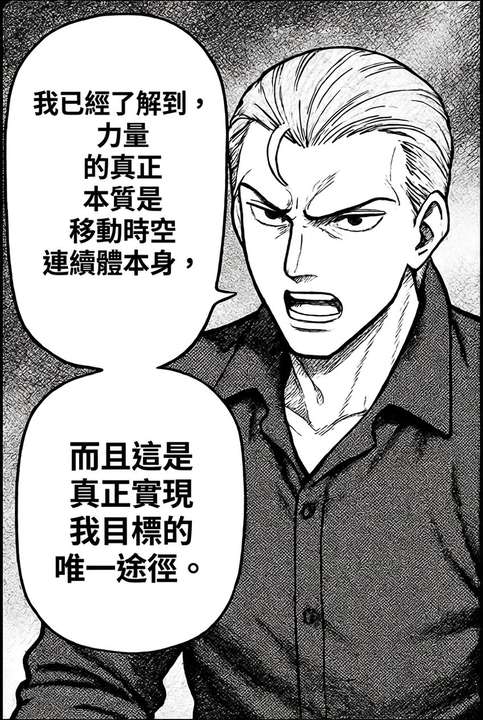
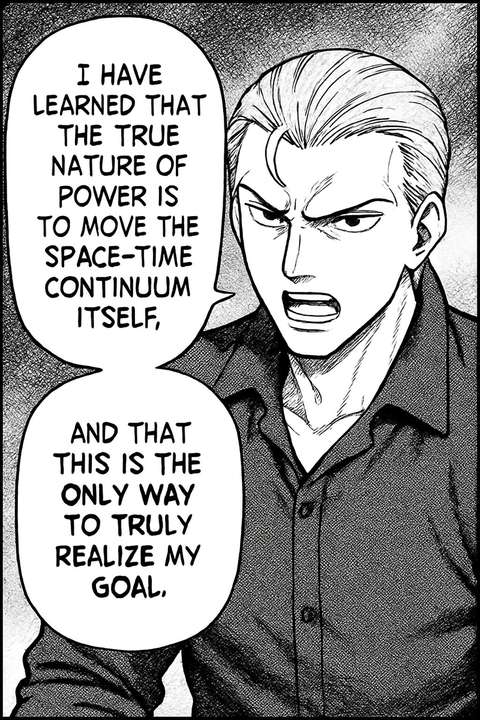
O Tradutor de Capturas de Tela da Musely é uma ferramenta com IA que traduz todo o texto visível em imagens de capturas de tela para mais de 35 idiomas, preservando o layout original da interface, elementos e design visual. Diferente de ferramentas básicas de extração de texto ou sobreposição manual, a Musely usa OCR avançado e IA generativa para detectar rótulos de botões, texto de menus, áreas de conteúdo e notificações, e então regenera a captura de tela com traduções contextualmente precisas ajustadas nos contêineres de interface. A Musely processa cada captura de tela em aproximadamente 38 segundos com 99,4% de precisão na detecção de texto, suportando capturas de aplicativos, sites e desktop.
Detalhes Técnicos do Tradutor de Capturas de Tela da Musely
🤖Motor de IA
⚡Compatibilidade
Traduza Capturas de Tela em 3 Passos Simples
Envie sua Captura de Tela
Envie sua captura de tela de aplicativo, site ou desktop em formato PNG, JPG ou WebP para o tradutor de capturas de tela da Musely.
Selecione o Idioma de Destino
Escolha entre mais de 35 idiomas. A IA da Musely identifica todo o texto, incluindo botões, menus, rótulos e áreas de conteúdo.
Baixe a Captura de Tela Traduzida
Receba sua captura de tela traduzida com todos os elementos de interface, cores e layout preservados em aproximadamente 38 segundos.
Quem Usa o Tradutor de Capturas de Tela da Musely?
Capturas de Tela para Listagens na App Store
Traduzo as capturas de tela do meu aplicativo para 12 mercados de App Store usando a Musely. Ela gera capturas de tela localizadas em minutos, em vez das horas que eu gastava no Figma.
Localização de Relatórios de Bugs
Quando nossa equipe de QA no exterior envia capturas de tela de bugs em coreano, uso a Musely para traduzi-las rapidamente para inglês, para que nossos desenvolvedores possam entender o problema imediatamente.
Documentação Multilíngue
Nossa documentação de software inclui mais de 200 capturas de tela. A Musely as traduz em 5 idiomas, economizando 3 semanas de recriação manual de capturas de tela por lançamento para nossa equipe.
Análise da Concorrência
Pesquiso aplicativos em idiomas estrangeiros traduzindo suas capturas de tela com a Musely. Isso me ajuda a entender padrões de interface e funcionalidades de concorrentes em mercados que não consigo ler nativamente.
Guias de Suporte Multilíngues
Traduzimos guias de ajuda baseados em capturas de tela para nossa base de clientes global usando a Musely. O tempo de resolução de tickets de suporte caiu 25% após oferecer guias em idiomas locais.
Localização de Tutoriais de Software
Meus tutoriais de Photoshop incluem dezenas de capturas de tela. A Musely as traduz para meus alunos de espanhol e português, tornando os cursos totalmente acessíveis.
Como o Tradutor de Capturas de Tela da Musely se Compara
| Recurso | Musely | Google Translate | Snagit | ImageTranslate |
|---|---|---|---|---|
| Preservação de Elementos de Interface | ✓ Preservação completa do layout e elementos de interface | ✗ Sem preservação de interface | ✗ Apenas captura de tela | ⚠ Tratamento parcial de interface |
| Tradução de Botões e Menus | ✓ Texto ajustado nos contêineres de interface originais | ⚠ Apenas extração de texto | ✗ Sem recurso de tradução | ⚠ Substituição básica de texto |
| Idiomas Suportados | ✓ Mais de 35 idiomas | ✓ Mais de 130 idiomas | ✗ Sem tradução | ✓ Mais de 40 idiomas |
| Velocidade de Processamento | ✓ ~38 segundos por captura de tela | ⚠ Apenas texto instantâneo | ✗ Não aplicável | ⚠ 2-3 minutos |
| Múltiplos Tipos de Capturas de Tela | ✓ Capturas de aplicativos sites e desktop | ⚠ Texto de qualquer imagem | ⚠ Apenas captura de tela | ⚠ Imagens gerais |
| Sem Necessidade de Conhecimentos Técnicos | ✓ Fluxo de trabalho de IA totalmente automatizado | ⚠ Cópia manual de texto | ✗ Anotação manual | ⚠ Alguns passos manuais |
Perguntas Frequentes sobre o Tradutor de Capturas de Tela
A Musely é um tradutor de capturas de tela líder que suporta mais de 35 idiomas com 99,4% de precisão na detecção de texto. A Musely preserva o layout original da interface, botões e elementos durante a tradução, processando cada captura de tela em aproximadamente 38 segundos.
A Musely regenera capturas de tela com texto traduzido ajustado naturalmente em contêineres de interface como botões e menus. O Google Translate apenas extrai texto sem preservar o design da interface. A Musely mantém fidelidade completa da interface em mais de 35 idiomas com 99,4% de precisão.
A Musely suporta capturas de tela de aplicativos móveis, capturas de sites, interfaces de aplicativos de desktop e caixas de diálogo de software. A IA detecta todo o texto, incluindo botões, menus de navegação, rótulos de formulários e áreas de conteúdo, traduzindo-os enquanto preserva a estrutura da interface.
O tradutor de capturas de tela da Musely aceita formatos PNG, JPG e WebP com resoluções de até 4096 x 4096 pixels. A ferramenta suporta mais de 35 idiomas de destino e gera capturas de tela traduzidas que correspondem ao formato e dimensões do arquivo original.
A Musely usa dimensionamento de texto adaptativo para ajustar traduções em contêineres de interface originais como botões, abas e itens de menu. A IA ajusta tamanho de fonte e espaçamento para evitar transbordamento ou truncamento, mantendo legibilidade e consistência visual com o motor de design da Musely.