
استبدل النص في الصور مع مطابقة الخطوط والدمج السلس
يوفر محرك تبديل النص في Musely 6 أوضاع لمطابقة الخطوط — اكتشاف الخط الأصلي تلقائياً أو التجاوز بعائلات خطوط منتقاة — و4 مستويات لدقة الدمج من مثالي بالبكسل إلى تبادل سريع. بدّل النص في أي صورة بنتائج تبدو أصيلة في التصميم الأصلي.

هنا حيث يحدث العجب
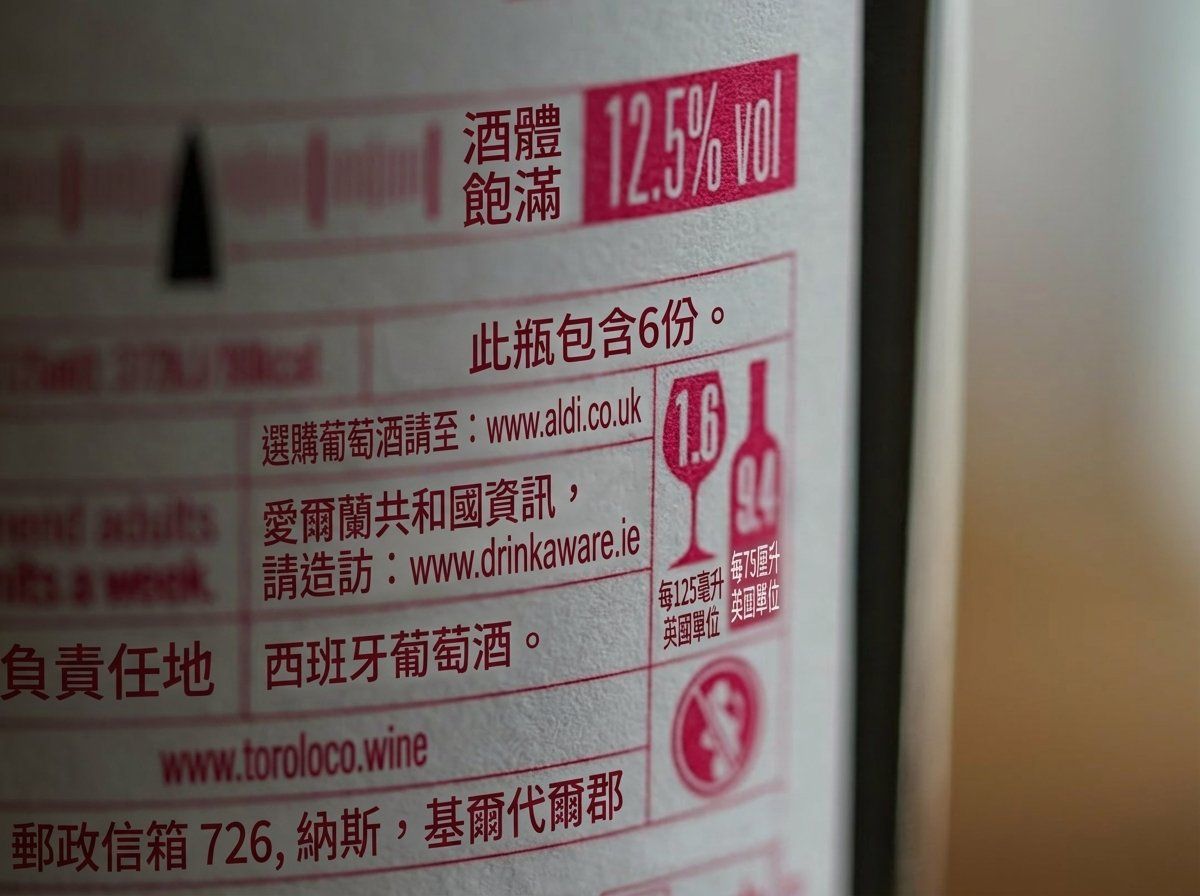
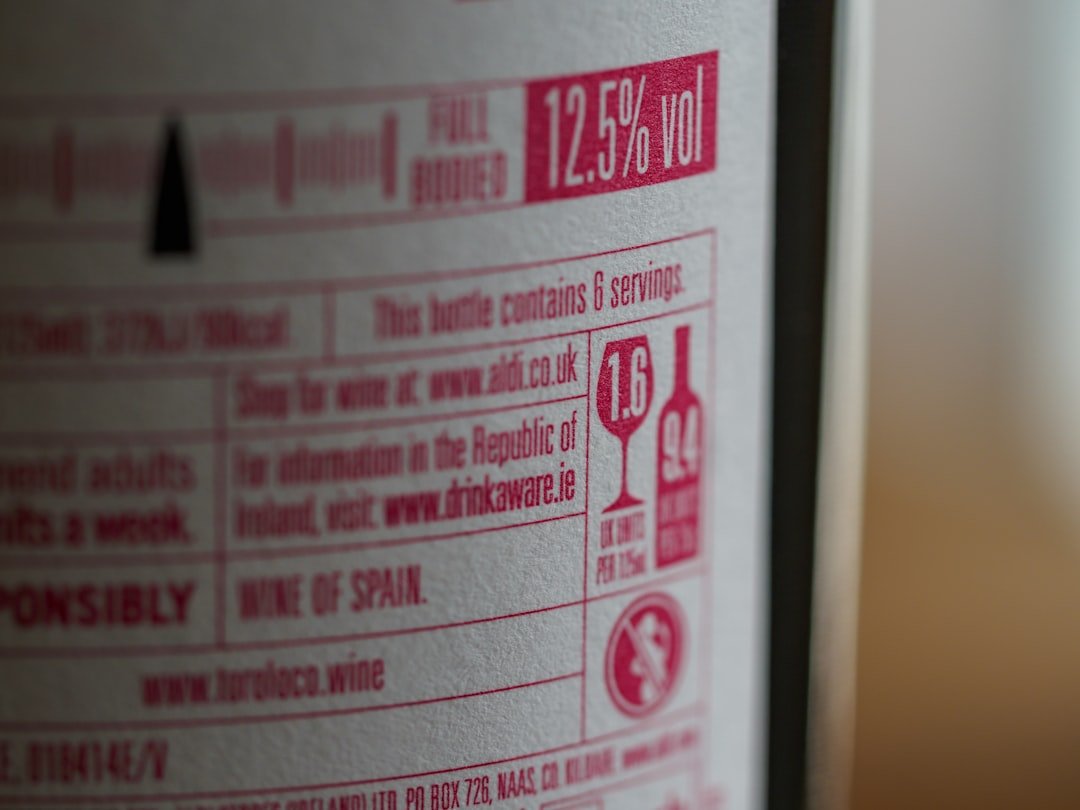
أداة Musely لاستبدال النص في الصورة هي أداة تبديل نص بالذكاء الاصطناعي مبنية حول تقنيتين محوريتين: مطابقة الخطوط ودقة الدمج. بينما تضع الأدوات الأخرى النص الجديد فوق القديم ببساطة، تحلّل Musely أولاً الطباعة المصدر ثم تمنحك التحكم في كيفية اندماج الاستبدال. لوضع مطابقة الخط ستة خيارات: مطابقة الخط الأصلي تلقائياً يقرأ الخط الموجود ويُعيد إنتاج خصائصه بدقة؛ أما تجاوز بالسانس-سيريف النظيف وتجاوز بالعرض الغامق وتجاوز بالسيريف الأنيق وتجاوز بالخط المستدير الودود وتجاوز بالخط التقني الثابت فكلٌّ منها يطبّق عائلة خط منتقاة حين تريد بديلاً منضبطاً بدلاً من تطابق مكتشف. لدقة الدمج أربعة مستويات: دمج مثالي بالبكسل للاستبدالات غير المرئية في الصور الفوتوغرافية، ودمج طبيعي للنتائج الواقعية في معظم الصور، وتبادل نظيف للرسومات المسطحة، وتبادل سريع حين تكون السرعة هي الأولوية. تُعدّ الإعدادات المسبقة الثلاثة — تبديل معلومات الأعمال وتحديث تسميات المنتج وتغيير نص العنوان — إعدادات الخط والدمج لأشيع مهام الاستبدال مسبقاً. يعمل كشف النص بدقة 99.1% في 136 لغة.
التفاصيل التقنية لاستبدال النص في Musely
🤖نماذج الذكاء الاصطناعي
الأداء
استبدل النص في أي صورة في 3 خطوات
ارفع صورتك
أسقط صورتك في أداة تبديل النص من Musely. تعمل مع الصور الفوتوغرافية وملصقات المنتجات واللافتات وبطاقات العمل ولقطات الشاشة وأي صورة تحتوي نصاً مرئياً.
اختر وضع الخط ودقة الدمج
اختر وضع مطابقة الخط — اكتشاف الخط الأصلي تلقائياً، أو التجاوز بـ6 أنماط خطوط منتقاة تشمل تجاوز بالعرض الغامق وتجاوز بالسيريف الأنيق وتجاوز بالخط التقني الثابت. حدّد دقة الدمج من مثالي بالبكسل إلى تبادل سريع بحسب متطلبات الجودة والسرعة.
نزّل الصورة بدمج سلس
تعرض Musely نص الاستبدال بمستوى الدمج المحدد متكاملاً مع إضاءة الخلفية ونسيجها. نزّل نتيجتك في نحو 60 ثانية.
من يستخدم Musely لاستبدال النص في الصور؟
تحديث رسومات الحملات بسرعة
أستبدل النص في صور الحملات عند تغيّر العروض الترويجية. تُبدّل Musely نصوص الأسعار والعروض في 60 ثانية، مما يوفّر على فريقنا إعادة إنشاء الرسومات من الصفر.
ترجمة صور المنتجات محلياً
تتيح لي Musely استبدال النص في صور المنتجات لأسواق مختلفة. حدّثت 400 صورة قائمة لمتجرنا في المملكة المتحدة بتبديل ملصقات المقاسات والقياسات.
نسخ نصية سريعة للعملاء
حين يطلب العملاء خيارات متعددة للعناوين، أستخدم Musely لاستبدال النص في صورة النموذج فوراً بدلاً من فتح ملف التصميم في كل مرة.
تخصيص المواد المطبوعة
يجلب العملاء صوراً بنصوص يريدون تغييرها للطباعة المخصصة. تستبدل Musely النص بشكل مثالي وتخرج المطبوعات بمظهر طبيعي تماماً.
تحديث تفاصيل صور العقارات
أستبدل النص في صور مواصفات العقارات حين تتغير التفاصيل كالأسعار أو تواريخ التوافر. تقوم Musely بذلك في ثوانٍ دون الحاجة لصور جديدة.
تحديث صور مواد الفعاليات
تتغير الأماكن والتواريخ كثيراً في تنظيم الفعاليات. تتيح لي Musely استبدال النص في الصور الترويجية فوراً دون انتظار المصمم.
كيف تُقارَن Musely في مطابقة الخطوط ودقة الدمج
| الميزة | Musely | Adobe Photoshop | Pixlr | Remove.bg |
|---|---|---|---|---|
| أوضاع مطابقة الخطوط | ✓ 6 أوضاع: اكتشاف تلقائي + 5 عائلات تجاوز | ⚠ لوحة خطوط يدوية — لا كشف تلقائي | ✗ منتقي خطوط أساسي — لا مطابقة أسلوب | ✗ لا إمكانية استبدال نص |
| التحكم في دقة الدمج | ✓ 4 مستويات من مثالي بالبكسل إلى تبادل سريع | ⚠ دمج طبقات يدوي — يتطلب خبرة | ✗ وضع دمج واحد — لا تحكم في الدقة | ✗ غير مُطبَّق |
| تكامل نسيج الخلفية | ✓ مطابقة الإضاءة ونسيج السطح بتحليل ذكاء اصطناعي | ⚠ ختم استنساخ يدوي وفرشاة إصلاح | ✗ لا دمج مراعٍ للخلفية | ✗ غير مُطبَّق |
| إعدادات مسبقة لمهام بعينها | ✓ 3 إعدادات مسبقة: معلومات الأعمال وملصقات المنتجات والعناوين | ✗ لا إعدادات مسبقة — سير عمل يدوي كامل | ✗ لا إعدادات مسبقة | ✗ غير مُطبَّق |
| سرعة المعالجة | ✓ ~60 ثانية آلياً | ✗ 15-45 دقيقة يدوياً | ✗ 10-30 دقيقة يدوياً | ✗ غير مُطبَّق |
| التكلفة | ✓ باقة مجانية متاحة | ✗ اشتراك بـ22.99$ شهرياً | ⚠ مجاني مع قيود | ⚠ مجاني لإزالة الخلفية فقط |
أسئلة شائعة حول استبدال النص في الصور
استخدم مطابقة الخط الأصلي تلقائياً حين يكون الحفاظ على الطباعة القائمة هو الهدف — كتبديل اسم شركة على بطاقة عمل حيث يجب أن يبقى الخط الأصلي سليماً. انتقل إلى وضع التجاوز حين يكون الخط المصدر منمّقاً جداً أو غير واضح أو ببساطة ليس ما تريده في المخرج. تمنحك خيارات التجاوز الخمسة — تجاوز بالسانس-سيريف النظيف وتجاوز بالعرض الغامق وتجاوز بالسيريف الأنيق وتجاوز بالخط المستدير الودود وتجاوز بالخط التقني الثابت — تحكماً في الأسلوب الطباعي النهائي دون الاعتماد على كشف الذكاء الاصطناعي.
يُجري دمج مثالي بالبكسل أعمق تمريرة تحليل، يدرس نسيج الخلفية واتجاه الإضاءة وتدرجات الألوان لعرض نص استبدال يبدو مُصوَّراً. وهو الخيار الصحيح لتغليف المنتجات والمواد المطبوعة أو أي صورة يجب أن يكون فيها التبديل غير مرئي. أما تبادل سريع فيتخطى التحليل العميق للخلفية ويقدم استبدالاً نظيفاً بصورة أسرع — مثالي للرسومات المسطحة ونماذج واجهة المستخدم أو المسودات التكرارية حين تحتاج إلى رؤية تنوعات عديدة سريعاً قبل الالتزام بعرض نهائي.
الإعداد المسبق تحديث تسميات المنتج مُهيَّأ تحديداً لتحديات تصوير التغليف: أسطح الملصقات المنحنية والكتابة البارزة وأنسجة الرقائق وتشويه المنظور. يراعي ذكاء Musely الاصطناعي هندسة السطح حتى يتبع نص الاستبدال نفس المنحنى والبريق الموجودَين في نص الملصق الأصلي، مما يجعل التبديل يبدو مطبوعاً وليس مضافاً في مرحلة ما بعد الإنتاج.
نعم. يحافظ الإعداد المسبق تغيير نص العنوان على التسلسل الهرمي الطباعي للعنوان الأصلي — الحجم ومعالجة الألوان والثقل المكاني — مع احتواء الصياغة الجديدة في نفس مساحة التخطيط. إذا كان نص الاستبدال أقصر أو أطول، تضبط Musely تباعد الأحرف للحفاظ على الكثافة البصرية لكتلة العنوان الأصلية، فتظل الصيغة بالثقل والتأثير ذاتهما حتى مع اختلاف الكلمات كلياً.
حين لا تستطيع Musely تحديد الخط المصدر بدقة، تطبّق أقرب تطابق متاح وتعرض اسم الخط المُعوَّض في معاينة النتيجة. إذا لم تبدُ المطابقة التلقائية صحيحة، يمكنك فوراً التبديل إلى أحد أوضاع الخطوط الستة دون إعادة رفع الصورة. تتيح خيارات التجاوز بديلاً احتياطياً متوقعاً وعالي الجودة: تجاوز بالسيريف الأنيق يلائم السياقات الفاخرة أو التحريرية، وتجاوز بالعرض الغامق يناسب العناوين ولافتات التجزئة، وتجاوز بالخط التقني الثابت يلائم الكود وملصقات البيانات أو الصور الصناعية.