
Bildtext mit chirurgischer Präzision bearbeiten — volle Kontrolle über Was und Wie
Das Textbearbeitungs-Tool von Musely bietet 4 Präzisionsstufen (von Exact Style Match bis Fresh Modern Look) und 4 Umfangsoptionen (von einem einzelnen Wort bis zu jedem sichtbaren Element). Ein Datum aktualisieren, einen Namen rebranden oder Formulierungen anpassen — mit vollständiger Kontrolle darüber, was die KI verändert.

Hier geschehen erstaunliche Dinge
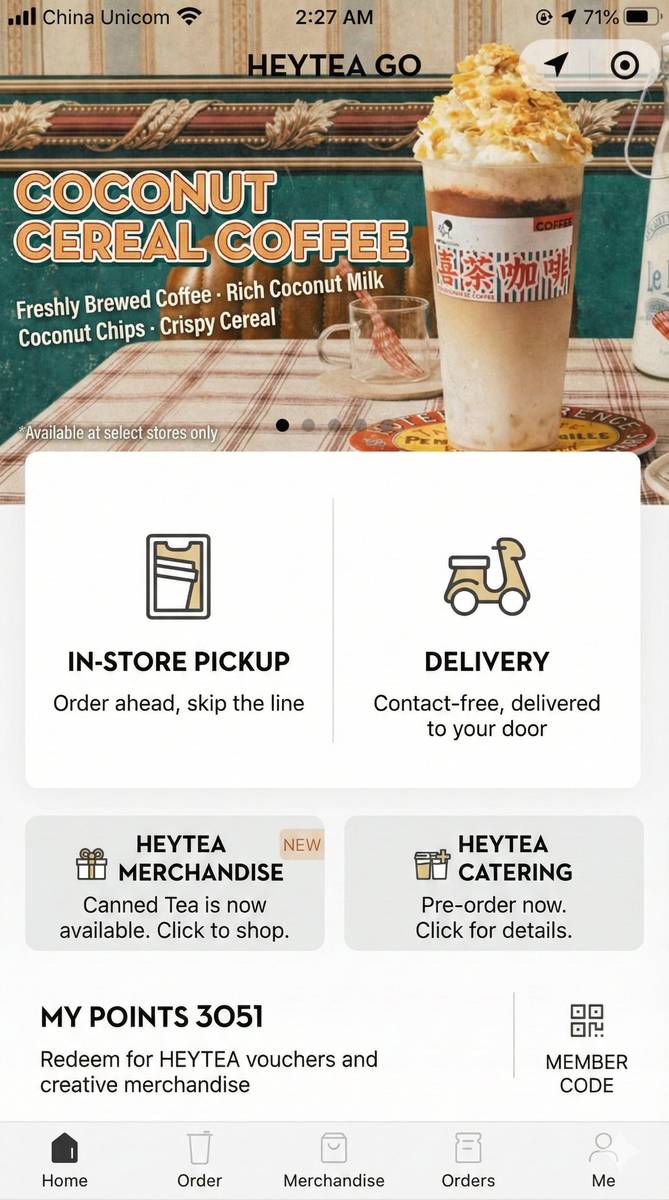
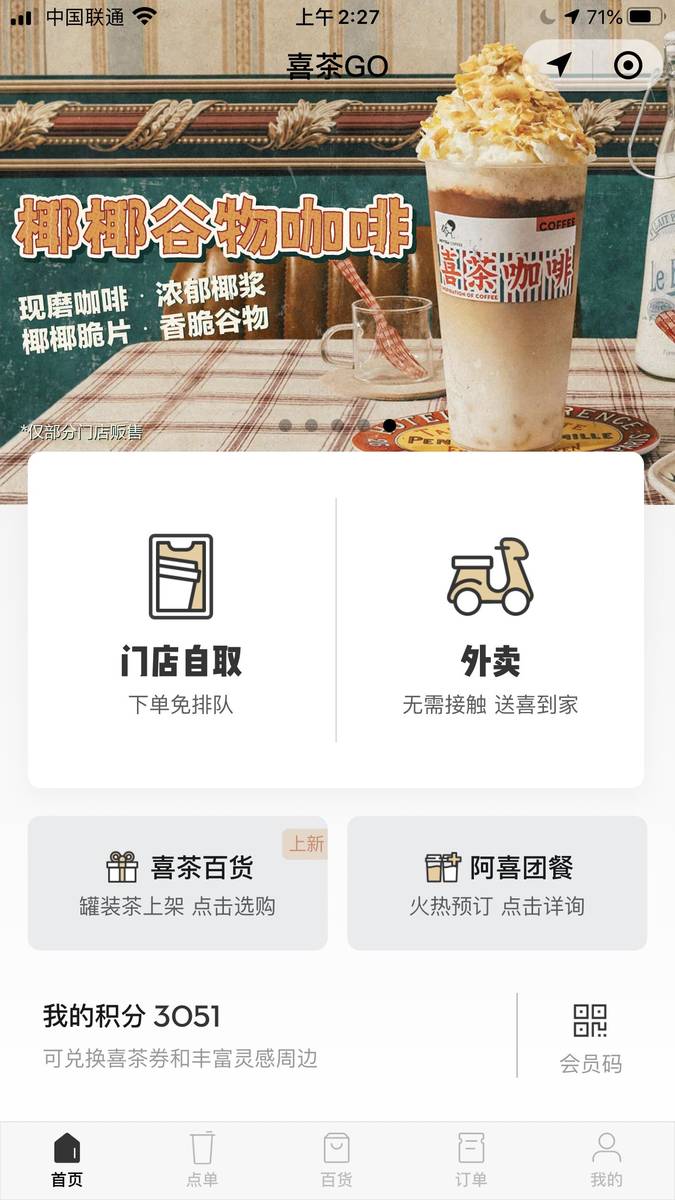
Musely Text in Bild präzise bearbeiten ist ein auf Präzision ausgerichtetes KI-Tool für gezielte Textbearbeitungen in beliebigen Bildern. Während generische Texteditoren Änderungen breit anwenden, bietet Musely explizite Kontrolle über zwei Dimensionen: Änderungspräzision und Umfang der Änderungen. Die Änderungspräzision umfasst vier Stufen — Exact Style Match (ursprüngliche Schrifteigenschaften exakt replizieren), Close Approximation (sehr ähnlich mit kleinen Rendering-Verbesserungen), Improved Readability (Lesbarkeit über strenge Stilübereinstimmung stellen) und Fresh Modern Look (verfeinertes, zeitgemäßes Rendering). Der Umfang der Änderungen bietet vier Optionen — Only Specified Text, All Similar Text Instances, All Visible Text und Text in Selected Area Only. Drei integrierte Voreinstellungen — Update Date/Number, Rebrand Text und Adjust Wording — fassen die gängigsten Präzisions- und Umfangskonfigurationen in Ein-Klick-Workflows zusammen. Die KI erkennt Text mit 99,1 % Genauigkeit in 136 Sprachen und verarbeitet jedes Bild in etwa 60 Sekunden.
Präzisionssteuerungen und technische Details
🤖Präzisionssteuerungen
Leistung
Drei Schritte zur chirurgisch präzisen Textbearbeitung
Bild hochladen
Laden Sie ein JPG-, PNG-, WebP- oder BMP-Bild mit bis zu 20 MB hoch — Plakate, Flyer, Screenshots, Social-Media-Grafiken oder Dokumentscans. Die KI von Musely erfasst sofort alle Textelemente im Bild mit 99,1 % Erkennungsgenauigkeit.
Präzisionsstufe und Umfang festlegen
Wählen Sie Ihre Änderungspräzision: Exact Style Match, damit die Bearbeitung unsichtbar bleibt, oder Fresh Modern Look, um veraltete Typografie aufzuwerten. Legen Sie dann den Umfang fest: Only Specified Text, All Similar Text Instances, All Visible Text oder Text in Selected Area Only. Oder wählen Sie eine Voreinstellung — Update Date/Number, Rebrand Text oder Adjust Wording — für eine vorkonfigurierte Kombination.
Ergebnis herunterladen
Die KI wendet Ihre Bearbeitung mit exakt der von Ihnen konfigurierten Präzision und dem gewählten Umfang an. Nur der anvisierte Text ändert sich. Jedes andere Pixel — Layout, Farben, Bilder, nicht anvisierter Text — bleibt exakt wie zuvor. Ihr Bild ist in etwa 60 Sekunden fertig.
Wer nutzt Musely zum Bearbeiten von Text in Bildern?
Veranstaltungsdetails auf Plakaten aktualisieren
Wenn sich Veranstaltungsdaten oder -orte ändern, bearbeite ich den Text in unseren Werbegrafiken mit Musely, anstatt von vorne zu beginnen. Das hat uns im letzten Quartal 15 Stunden gespart.
Unternehmensunterlagen aktualisieren
Nach dem Rebranding unseres Unternehmens habe ich Musely genutzt, um Text in über 200 internen Dokumenten und Präsentationsbildern zu bearbeiten. Die KI hat unsere alte Schrift für den neuen Namen perfekt reproduziert.
Menüpreise in Bildern aktualisieren
Musely ermöglicht es mir, Preise auf unseren digitalen Menüboard-Bildern in Sekunden zu ändern. Ich muss nicht mehr jedes Mal einen Designer beauftragen, wenn sich die Zutatenkosten verschieben.
Beiträge für verschiedene Daten anpassen
Ich nutze erfolgreiche Social-Media-Designs wieder, indem ich den Text in den Bildern für neue Daten und Angebote bearbeite. Mit Musely erledige ich das in 60 Sekunden.
Immobilieninserat-Details aktualisieren
Immobilienpreise und -details ändern sich laufend. Mit Musely bearbeite ich den Text in Inseratbildern, um alles aktuell zu halten — ganz ohne neue Fotoshootings.
Lehrmaterialien aktualisieren
Jedes Semester bearbeite ich den Text in meinen Unterrichtsfolien und Arbeitsblattbildern, um Daten, Statistiken und Beispiele zu aktualisieren. Musely übernimmt das, ohne meine sorgfältig gestalteten Layouts zu verändern.
Präzisions- und Umfangssteuerung: Musely im Vergleich
| Funktion | Musely | Adobe Photoshop | GIMP | Fotor |
|---|---|---|---|---|
| Änderungspräzisionsstufen | ✓ 4 Stufen von Exact Style Match bis Fresh Modern Look | ✗ Keine Präzisionsvoreinstellungen — nur manuell | ✗ Keine Präzisionsvoreinstellungen — nur manuell | ✗ Keine Präzisionssteuerung |
| Umfangssteuerung | ✓ 4 Umfangsoptionen inkl. bereichsspezifischer Zielung | ⚠ Manuelle Auswahl pro Element erforderlich | ⚠ Manuelle Auswahl pro Element erforderlich | ✗ Keine Umfangszielung |
| Voreinstellung für Datum-/Zahlenaktualisierung | ✓ Integrierte Voreinstellung mit optimierten Standardwerten | ✗ Nein — manueller Workflow erforderlich | ✗ Nein — manueller Workflow erforderlich | ✗ Keine Voreinstellungen |
| KI-Texterkennung | ✓ 99 / 1 % automatische Erkennung im gesamten Bild / Nur manuelle Auswahl | ⚠ Nur manuelle Auswahl | ⚠ Einfache Überlagerung | ✗ keine Erkennung |
| Verarbeitungsgeschwindigkeit | ✓ ca. 60 Sekunden automatisiert | ✗ 10–30 Minuten manuell | ✗ 10–30 Minuten manuell | ✗ 5–15 Minuten manuell |
| Kostenlose Version | ✓ Ja mit großzügigen Limits / Kostenpflichtiges Abonnement | ✗ Kostenlos | ✓ Open Source | ⚠ Kostenlos mit Wasserzeichenbeschränkungen |
Häufig gestellte Fragen zur präzisen Textbearbeitung mit Musely
Verwenden Sie Exact Style Match, wenn die Bearbeitung unsichtbar sein soll — etwa beim Aktualisieren einer Jahreszahl auf einem Veranstaltungsplakat, beim Korrigieren eines Tippfehlers oder beim Ändern eines Preises auf einem Flyer. Die KI repliziert Schriftfamilie, Stärke, Farbe und Abstände so genau wie möglich, sodass niemand erkennt, dass das Bild bearbeitet wurde. Verwenden Sie Fresh Modern Look, wenn der ursprüngliche Text schlecht gerendert, niedrig aufgelöst oder schlicht veraltet war — die KI rendert den Ersatz mit saubererem Abstand und zeitgemäßerer Gestaltung, die dennoch in den Bildkontext passt.
„Only Specified Text“ beschränkt die Bearbeitung auf das einzelne von Ihnen identifizierte Element — nützlich, wenn Sie ein Vorkommen eines Wertes aktualisieren möchten, ohne andere Vorkommen zu verändern. „All Similar Text Instances“ weist Musely an, jedes übereinstimmende Vorkommen im Bild zu finden und dieselbe Änderung auf jedes anzuwenden — nützlich, wenn ein Firmenname, eine Versionsnummer oder ein Datum gleichzeitig in Kopfzeile, Fußzeile und Textkörper erscheint und alle Instanzen konsistent sein müssen. Sie können auch „Text in Selected Area Only“ wählen, um Änderungen auf einen definierten Bereich zu beschränken, oder „All Visible Text“, um jedes Textelement im Bild auf einmal zu aktualisieren.
Adjust Wording ist für kleinere Umformulierungen gedacht, bei denen sich Bedeutung oder Wortlaut ändern, das Textelement aber an Ort und Stelle bleibt — einen Slogan kürzen, einen Grammatikfehler korrigieren oder einen Call-to-Action umformulieren, etwa von „Jetzt registrieren“ in „Kostenlos anmelden“. Standardmäßig wird Close Approximation als Präzision angewendet, um leichte Rendering-Flexibilität zu ermöglichen, da der neue Text eine andere Zeichenanzahl haben kann. Diese Voreinstellung ist die richtige Wahl, wenn der Text anders klingen soll, ohne das Element vollständig zu ersetzen oder neu zu branden. Verwenden Sie Rebrand Text für Namensänderungen und Update Date/Number für numerische Bearbeitungen.
Daten und Zahlen sind die häufigsten wiederkehrenden Textbearbeitungen — jährliche Veranstaltungsplakate, saisonale Preisgrafiken, Versionsnummern auf Produkt-Screenshots und Vertragsdaten in Dokumentenbildern müssen nach einem vorhersehbaren Rhythmus aktualisiert werden. Die Voreinstellung Update Date/Number ist genau dafür ausgelegt: Standardmäßig wird Exact Style Match angewendet, sodass die geänderte Ziffer vom Original visuell nicht zu unterscheiden ist, und der Umfang ist auf Only Specified Text beschränkt, damit benachbarte Zahlen nicht betroffen werden. Die KI analysiert numerische Formate einschließlich Datumsangaben, Währungen, Telefonnummern und Versionszeichenketten und wendet nur die von Ihnen angegebene Ziffernänderung an.
Fresh Modern Look installiert oder ersetzt keine andere Schriftfamilie — es verbessert das Rendering des Ersatztextes im Bild. Konkret wendet die KI saubereren Buchstabenabstand, ausgewogeneres Strichgewicht und eine bessere Größenkalibrierung an, verglichen mit dem ursprünglichen Text. Dies fällt am stärksten auf, wenn das Quellbild eine niedrig aufgelöste eingebettete Schrift, inkonsistentes Anti-Aliasing oder Typografie enthielt, die bei modernen Bildschirmauflösungen veraltet wirkt. Das Ergebnis gehört visuell weiterhin zur Designsprache des Bildes, der Text wirkt jedoch schärfer und bewusster gestaltet als das Original.