
Edit Text on Photo Instantly with AI Precision
Musely lets you edit text on photo images using AI that detects, replaces, and matches fonts automatically across 136 languages with 99.1% accuracy.

This is where amazing happens
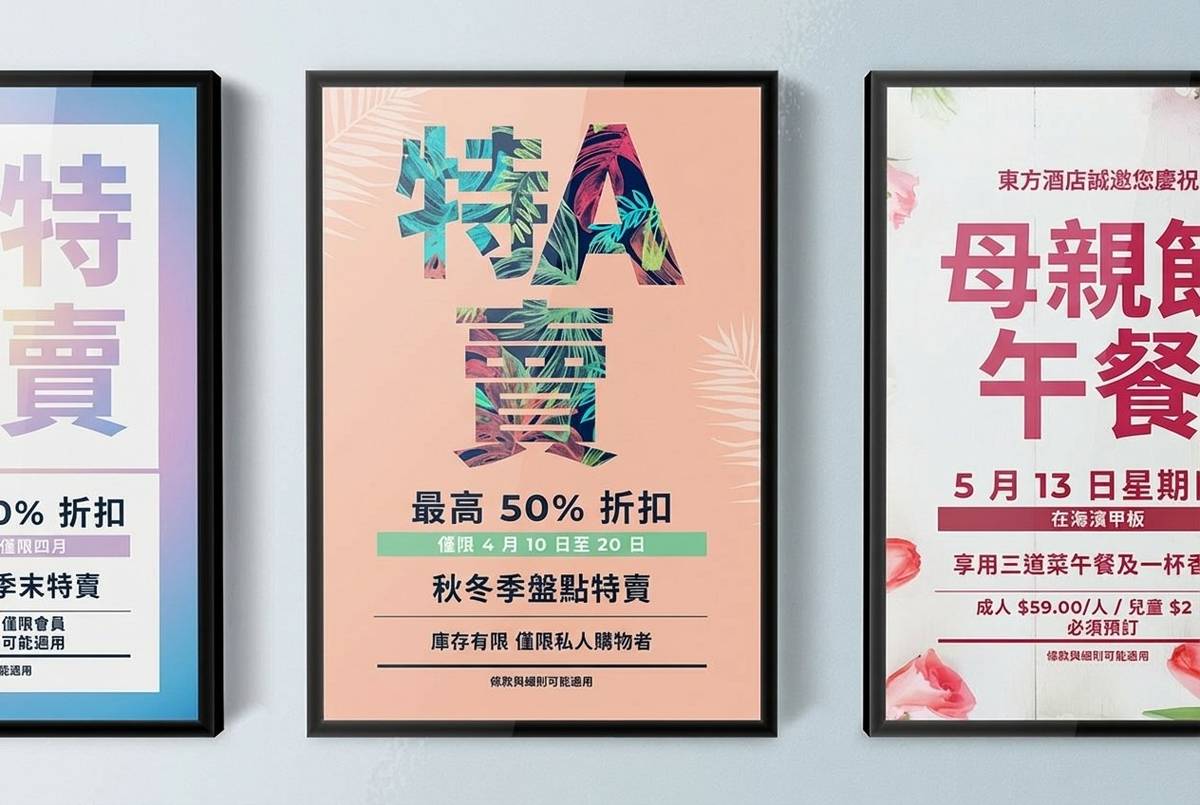

Musely Edit Text on Photo is an AI-powered tool that detects and replaces text in photographs while preserving the original image quality, lighting, and composition. Unlike manual Photoshop editing that requires design skills, Musely automatically matches the font style, color, size, and perspective of the original text. The AI engine supports 136 languages with 99.1% text detection accuracy and works with photos of signs, labels, documents, storefronts, and any other text-containing images. Each edit is processed in approximately 60 seconds through Musely's advanced AI pipeline.
Technical Details Behind Musely Photo Text Editor
🤖AI Models
Performance
Edit Text on Any Photo in 3 Steps
Upload Your Photo
Drop any photo with text into Musely's editor. Works with photos of signs, labels, documents, storefronts, and more.
Describe Your Text Edits
Tell Musely what text to change and what it should say. Choose a preset — Fix Typo in Photo, Update Sign Text, or Translate Photo Text — or write custom instructions. Advanced controls let you set Text Matching Style (Auto-Match Original, Bold and Prominent, Handwritten Look, and more) and Blending Quality (Maximum Realism, Natural Blend, Clean Edit, or Visible Enhancement).
Download Your Edited Photo
Musely delivers your photo with seamlessly edited text in about 60 seconds. The result preserves the original lighting and perspective.
Who Uses Musely to Edit Text on Photos?
Update Property Listing Photos
I edit text on property photos to update pricing and availability details. Musely saves me from reshoting photos every time a listing changes.
Update Product Photo Labels
Musely lets me edit text on product photos for different markets without reshooting. I updated 300 product images for our Spanish launch in one afternoon.
Fix Text in Social Media Graphics
I caught a typo on a campaign photo right before launch. Musely fixed it in 60 seconds without me needing to find the original design file.
Translate Signs in Travel Photos
I edit text on my travel photos to show readers what foreign signs say. Musely translates the text and makes it look like the sign was always in English.
Localize Campaign Photography
We run campaigns in 8 countries. Musely lets us edit text on the same hero photos for each market, saving $15,000 per campaign in reshooting costs.
Update Menu Board Photos
When prices change, I use Musely to edit the text on our menu board photos instead of printing new boards and taking new pictures. Saves time and money.
How Musely Compares for Editing Text on Photos
| Feature | Musely | Adobe Photoshop | Canva | Fotor |
|---|---|---|---|---|
| AI Text Detection | ✓ 99.1% auto-detection in photos | ⚠ Manual selection required | ✗ No text detection in photos | ✗ Basic text layer editing |
| Font Auto-Matching | ✓ Automatic style color and size matching | ⚠ Manual font selection | ✗ Template fonts only | ✗ Limited font options |
| Perspective Matching | ✓ AI adjusts to photo perspective automatically | ⚠ Manual transform tools | ✗ Not supported | ✗ Not supported |
| Language Support | ✓ 136 languages with translation | ✗ No built-in translation | ⚠ 20+ template languages | ✗ No translation feature |
| Learning Curve | ✓ No skills needed describe changes in plain text | ✗ Steep learning curve | ⚠ Moderate template-based | ⚠ Simple but limited |
| Free Access | ✓ Yes with generous limits | ✗ Paid subscription only | ⚠ Free with watermarks | ⚠ Free with limitations |
Frequently Asked Questions About Editing Text on Photos
Musely provides one of the most accurate ways to edit text on a photo in 2026, using AI that detects text at 99.1% accuracy and automatically matches the original font style, color, and perspective. Musely supports 136 languages and processes each photo in about 60 seconds.
Musely offers three focused presets: Fix Typo in Photo for correcting spelling errors without altering anything else, Update Sign Text for replacing text on signs, banners, or displays, and Translate Photo Text for converting visible text to another language. Each preset instructs Musely's AI to match the original perspective and lighting automatically.
Musely handles text on photographed signs, storefronts, banners, and displays with perspective-aware AI. The tool matches the original lighting, angle, and surface texture to make edited text look naturally part of the scene across 136 supported languages.
Musely's photo text editor accepts JPG, PNG, WebP, and BMP formats up to 20 MB per image. The tool works with any photo containing visible text including screenshots, documents, product photos, outdoor signs, and social media graphics.
Musely's Text Matching Style control offers six options including Auto-Match Original, Clean and Modern, Bold and Prominent, Subtle and Understated, Decorative and Stylish, and Handwritten Look. The Blending Quality control adjusts how naturally the edit integrates with the photo — from Maximum Realism to Clean Edit — giving precise control over the final result.