
Edit Text in PNG Images with AI Clarity
Musely lets you edit text in PNG files using AI that detects and replaces text with 99.1% accuracy while preserving transparency and sharp edges across 136 languages.

This is where amazing happens
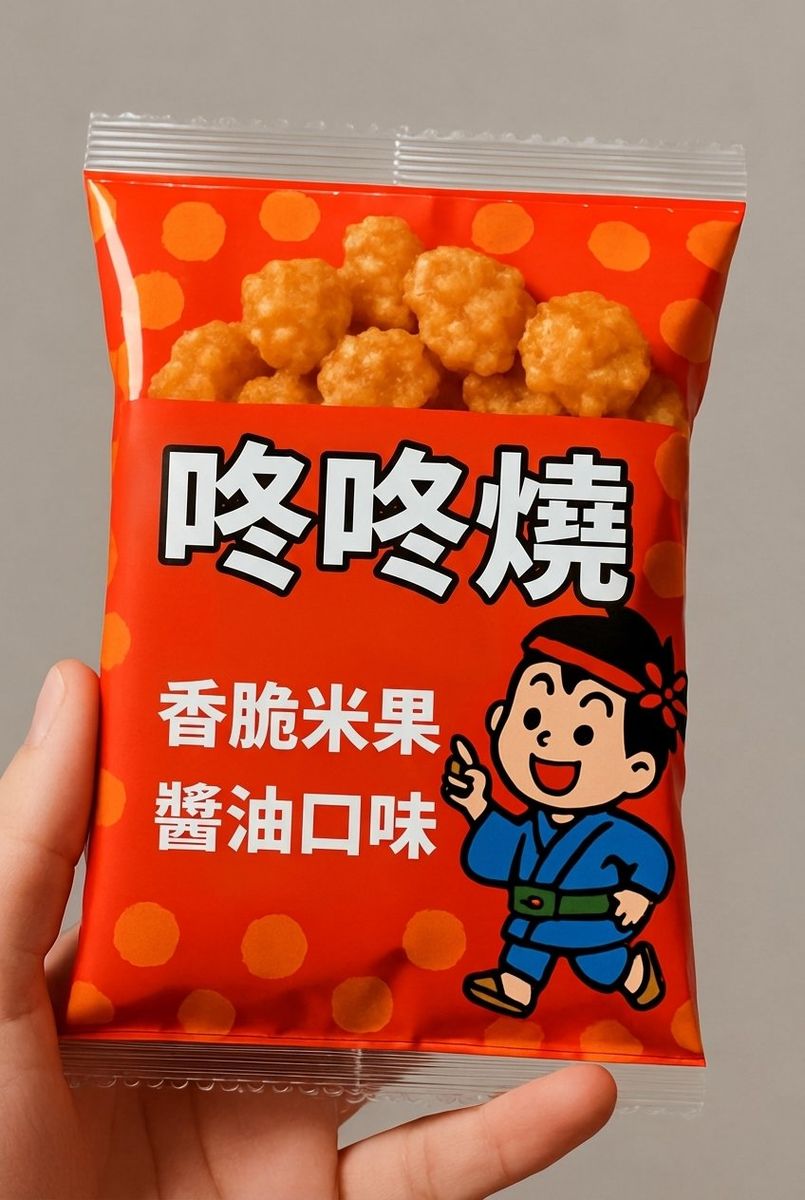
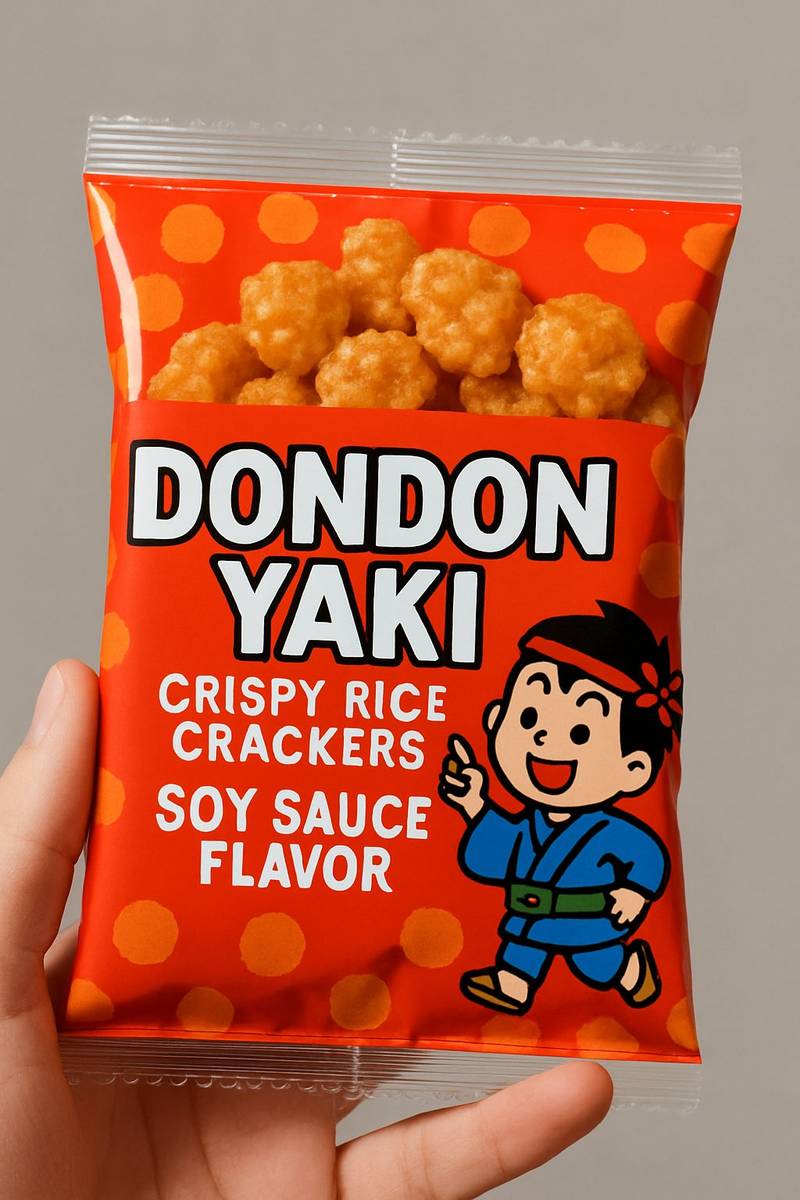
Musely Edit Text in PNG is an AI-powered tool built to edit, replace, and translate text within PNG image files while preserving the format's unique characteristics. Unlike generic editors that may flatten transparency or soften edges, Musely maintains PNG-specific features including alpha transparency layers, crisp vector-like edges, and lossless image quality. The AI detects text at 99.1% accuracy and automatically matches font style, color, and size across 136 languages. Musely handles text in PNG screenshots, UI mockups, logos, infographics, and design assets. Each edit is processed in approximately 60 seconds through Musely's AI engine.
Technical Details Behind Musely PNG Text Editor
🤖AI Models
Performance
Edit Text in Any PNG Image in 3 Steps
Upload Your PNG Image
Drop your PNG file into Musely's AI text editor. Ideal for screenshots, UI mockups, logos, infographics, and design assets with transparency.
Describe Your Text Edits
Tell Musely which text to edit and what it should say. Choose a preset — Fix Text in PNG Graphic, Update PNG Design Text, or Translate PNG Text — or write custom instructions. Use advanced controls to set PNG Quality Mode (Full Quality, Enhanced Edge Sharpness, Maximum Clarity, or Web-Optimized) and Text Rendering Style (Match Original Font, Crisp Digital Sans-Serif, Bold Display, or Pixel-Perfect).
Download Your Edited PNG
Musely delivers your PNG with crisp, clean text edits and fully preserved transparency in about 60 seconds.
Who Uses Musely to Edit Text in PNG Images?
Update PNG Mockup Text
I edit text in PNG mockup exports when clients request copy changes. Musely preserves the transparency and lets me skip reopening Figma for minor text tweaks.
Fix Text in PNG Assets
When I spot a typo in a PNG asset and the designer is unavailable, Musely fixes it in 60 seconds with the transparency intact. No need to wait for a design update.
Localize PNG Marketing Graphics
Our marketing PNGs need text updates for 5 language markets. Musely translates and edits the text while keeping our transparent-background overlays intact.
Update Infographic Data
Our infographics are PNG files and the data changes quarterly. Musely updates the numbers and labels perfectly without requiring our designer to rebuild from scratch.
Edit PNG Game UI Text
I edit text in my game's PNG UI elements for localization. Musely preserves the transparency layers my engine needs and the pixel-perfect text quality matches my art style.
Quick PNG Text Corrections
Clients often need one-word changes in finalized PNG exports. Musely handles these micro-edits perfectly, saving me 20 minutes per correction compared to reopening the source file.
How Musely Compares for Editing Text in PNG Files
| Feature | Musely | Adobe Photoshop | Figma | GIMP |
|---|---|---|---|---|
| AI Text Detection in PNG | ✓ 99.1% auto-detection | ⚠ Manual selection only | ✗ Not applicable to exported PNGs | ⚠ Manual selection only |
| Transparency Preservation | ✓ Full alpha channel preservation | ✓ Manual layer management | ✗ Source file only | ⚠ Manual layer management |
| Sharp Edge Rendering | ✓ AI crisp pixel-perfect rendering | ✓ Manual anti-aliasing control | ✗ Source file only | ⚠ Manual rendering settings |
| Processing Speed | ✓ ~60 seconds automated | ✗ 10-30 minutes manual | ✗ Requires source file | ✗ 15-45 minutes manual |
| Language Support | ✓ 136 languages with translation | ✗ No built-in translation | ✗ No translation in exports | ✗ No built-in translation |
| Free Access | ✓ Yes with generous limits | ✗ $22.99/month subscription | ⚠ Free tier available | ✓ Free open-source |
Frequently Asked Questions About Editing Text in PNG
Musely is a leading tool for editing text in PNG images in 2026, offering AI text detection at 99.1% accuracy with dedicated PNG feature preservation including transparency and sharp edges. Musely supports 136 languages and processes edits in about 60 seconds.
Musely offers three built-in presets for PNG text editing: Fix Text in PNG Graphic for correcting typos in logos and designs, Update PNG Design Text for replacing text in infographics and UI mockups, and Translate PNG Text for converting visible text to another language. All 3 presets preserve PNG transparency and sharp edges automatically.
Musely's AI preserves PNG alpha transparency channels during all text editing operations. Whether your PNG has a transparent background for logos, UI overlays, or design assets, Musely maintains that transparency while seamlessly editing text content.
Musely accepts PNG files up to 20 MB with support for 8-bit and 24-bit color depths plus alpha transparency. The tool handles screenshots, UI mockups, infographics, logos, and any other PNG image type containing visible text.
Musely's Text Rendering Style advanced option lets you control how edited text appears in the output. Options include Match Original Font, Crisp Digital Sans-Serif, Clean Serif Text, Bold Display Font, and Pixel-Perfect Rendering. The PNG Quality Mode control offers four additional output settings from Full Quality to Web-Optimized.