
عدّل النص في صور JPG بدقة الذكاء الاصطناعي
يتيح لك Musely تعديل النصوص في ملفات JPG باستخدام ذكاء اصطناعي يكتشف النصوص ويستبدلها بدقة 99.1% مع الحفاظ على جودة JPEG الأصلية عبر 136 لغة.

هنا حيث يحدث العجب
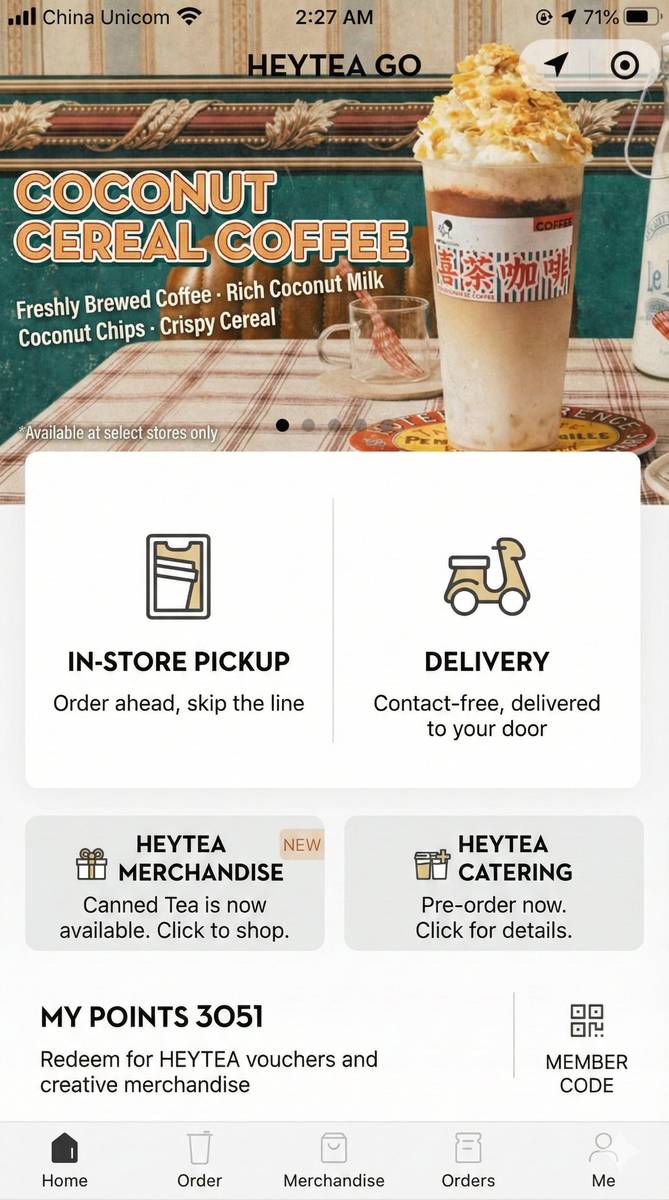
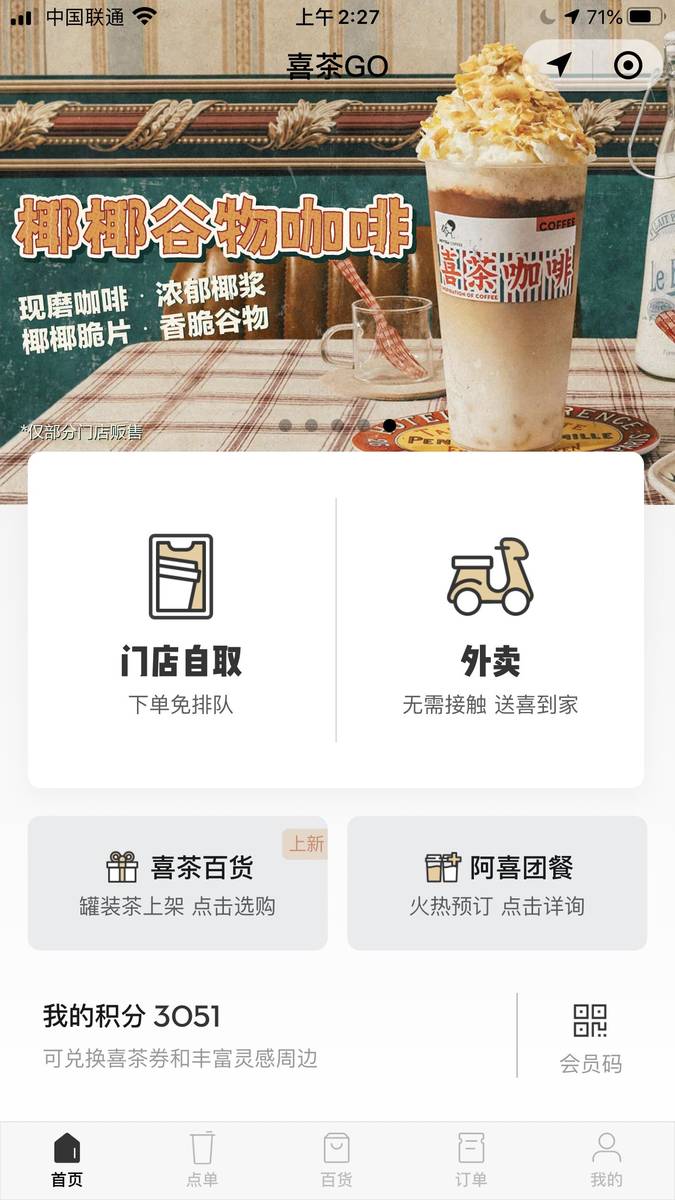
Musely Edit Text in JPG هو أداة مدعومة بالذكاء الاصطناعي مصممة خصيصاً لتعديل النصوص واستبدالها وترجمتها في ملفات صور JPG وJPEG. بخلاف محررات الصور العامة التي قد تتدهور بها جودة JPEG أثناء معالجة النصوص، يحافظ Musely على خصائص الضغط الأصلية ودقة الصورة. يكتشف الذكاء الاصطناعي النصوص بدقة 99.1% ويطابق أسلوب الخط ولونه وحجمه تلقائياً. بدعم 136 لغة، يتعامل Musely مع النصوص في صور JPG الفوتوغرافية للافتات والمستندات والبطاقات والدعوات وغيرها. تُعالج كل تعديلة في نحو 60 ثانية من خلال محرك Musely.
التفاصيل التقنية لمحرر نصوص JPG في Musely
🤖نماذج الذكاء الاصطناعي
الأداء
عدّل النص في أي صورة JPG في 3 خطوات
ارفع صورة JPG
أفلت ملف JPG أو JPEG في محرر نصوص Musely. الأداة محسّنة للصور الفوتوغرافية والمسوحات الضوئية والرسوميات المضغوطة بـ JPEG.
صف النص المراد تعديله
اختر إعداداً مسبقاً: Fix Text in JPG Photo أو Replace JPG Label Text أو Translate JPG Text، ثم صف تعديلك. تتيح الضوابط المتقدمة تعيين JPG Quality Preservation (Preserve Original Quality وEnhanced Clarity وMaximum Sharpness وBalanced Compression) وText Rendering Style (Match Original Font وClean Digital Text وPhotorealistic Text وArtistic Stylized Text وBold High-Contrast Text).
حمّل ملف JPG المعدّل
يُسلّم Musely ملف JPG المعدّل مع جودة صورة محفوظة وتغييرات نصية مندمجة بسلاسة في نحو 60 ثانية.
من يستخدم Musely لتعديل النصوص في صور JPG؟
تصحيح النصوص في صور الفعاليات
يحتاج العملاء أحياناً لتعديل نصوص اللافتات والبانرات في صور الفعاليات. Musely يتعامل مع ذلك دون الإضرار بملفات JPG التي أعالجها بعناية.
تحديث صور منتجات JPG
معظم صور المنتجات بصيغة JPG. Musely يتيح تعديل نصوص العبوات والبطاقات مباشرةً في هذه الملفات، مما وفّر 3,500 دولار من تكاليف إعادة التصوير الربع الماضي.
تعديل صور المستندات الممسوحة
أعدّل النصوص في صور مستندات JPG الممسوحة عند الحاجة لتصحيحات صغيرة. Musely يحافظ على مظهر المستند ويوفر علي إعادة الطباعة والمسح.
تعريب صور حملات JPG
صور حملاتنا كلها بصيغة JPG وأحتاج لتعديل النصوص لـ 6 أسواق مختلفة. Musely يترجم النصوص ويستبدلها مع الحفاظ على جودة JPEG.
تعديل النصوص في صور المدونة
أحتاج أحياناً لتعديل نصوص ظاهرة في صور JPG بمدونتي، كإزالة رقم هاتف من لافتة. Musely ينجز ذلك بشكل مثالي دون فقدان جودة الصورة.
تصحيحات سريعة لنصوص JPG
عندما يكتشف العملاء خطأً في نماذج JPG المعتمدة، أستخدم Musely لإصلاحه في 60 ثانية بدلاً من إعادة فتح مشروع التصميم بالكامل.
كيف يقارن Musely في تعديل النصوص في ملفات JPG
| الميزة | Musely | Adobe Photoshop | GIMP | Pixlr |
|---|---|---|---|---|
| اكتشاف النص بالذكاء الاصطناعي في JPG | ✓ اكتشاف تلقائي 99.1% | ⚠ تحديد يدوي فقط | ⚠ تحديد يدوي فقط | ✗ لا يوجد اكتشاف نصوص |
| الحفاظ على جودة JPG | ✓ أوضاع جودة متعددة مع تحسين بالذكاء الاصطناعي | ✓ تحكم يدوي بالجودة | ⚠ تصدير JPEG أساسي | ⚠ خيارات جودة محدودة |
| مطابقة تلقائية للخطوط | ✓ مطابقة كاملة تلقائية للأسلوب واللون والحجم | ⚠ تحديد خط يدوي | ✗ اختيار خط يدوي | ✗ اختيار خط يدوي |
| سرعة المعالجة | ✓ نحو 60 ثانية آلياً | ✗ 15-45 دقيقة يدوياً | ✗ 20-60 دقيقة يدوياً | ✗ 10-30 دقيقة يدوياً |
| دعم اللغات | ✓ 136 لغة مع ترجمة مدمجة | ✗ بدون ترجمة | ✗ بدون ترجمة | ✗ بدون ترجمة |
| وصول مجاني | ✓ نعم بحدود سخية | ✗ 22.99 دولار/شهر | ✓ مجاني مفتوح المصدر | ⚠ مجاني مع إعلانات |
أسئلة شائعة حول تعديل النصوص في JPG
Musely هو الأداة الرائدة لتعديل النصوص في صور JPG في 2026، يوفر اكتشاف نصوص بالذكاء الاصطناعي بدقة 99.1% مع أوضاع مخصصة للحفاظ على جودة JPEG. يدعم Musely 136 لغة ويعالج كل تعديل JPG في نحو 60 ثانية.
يضم Musely ثلاثة إعدادات مسبقة خاصة بـ JPG: Fix Text in JPG Photo لتصحيح الأخطاء المطبعية أو النصوص القديمة في الصور الفوتوغرافية، وReplace JPG Label Text لاستبدال البطاقات والوسوم والتعليقات، وTranslate JPG Text لتحويل النص المرئي إلى لغة أخرى. يُحسّن كل إعداد مسبق ذكاء Musely الاصطناعي للتحدي المحدد لعرض ضغط JPG.
يوفر Musely خمسة أوضاع لأسلوب عرض النص في مخرجات JPG: Match Original Font يندمج بسلاسة مع النص الموجود، وClean Digital Text ينتج مخرجات حادة بأسلوب الواجهات، وPhotorealistic Text يجعل النص يبدو مضمّناً بشكل طبيعي في الصورة، وArtistic Stylized Text يضيف لمسة زخرفية، وBold High-Contrast Text يُعظّم القراءة. يختار أكثر من 50,000 مستخدم الوضع الذي يناسب نوع محتوى JPG لديهم.
يقبل محرر نصوص JPG في Musely ملفات JPEG وJPG حتى 20 MB دون أدنى متطلبات للدقة. تتعامل الأداة مع كل شيء من المسوحات منخفضة الدقة إلى الصور الفوتوغرافية عالية الدقة، مع اكتشاف نصوص محسّن لأنماط ضغط JPG.
يحلل ذكاء Musely الاصطناعي مستوى ضغط JPG ويُكيّف عرض النصوص لتطابق خصائص الصورة المحيطة. ينتج المحرك نصوصاً بديلة تنسجم بشكل طبيعي مع عيوب JPEG بدلاً من الظهور بحدة اصطناعية أو خروجها عن السياق.