
Stapel-Textänderungen mit vollständiger Ausrichtungs- und Farbsteuerung
Ein Textelement ändern oder viele auf einmal aktualisieren. Muselys Voreinstellung Batch Text Update erlaubt es Ihnen, mehrere Änderungen in einer einzigen Anweisung zu beschreiben. Vier Ausrichtungsoptionen und drei Farbabgleichmodi geben Ihnen präzise Kontrolle über jede Bearbeitung — typischerweise in unter 45 Sekunden erledigt.

Hier geschehen erstaunliche Dinge
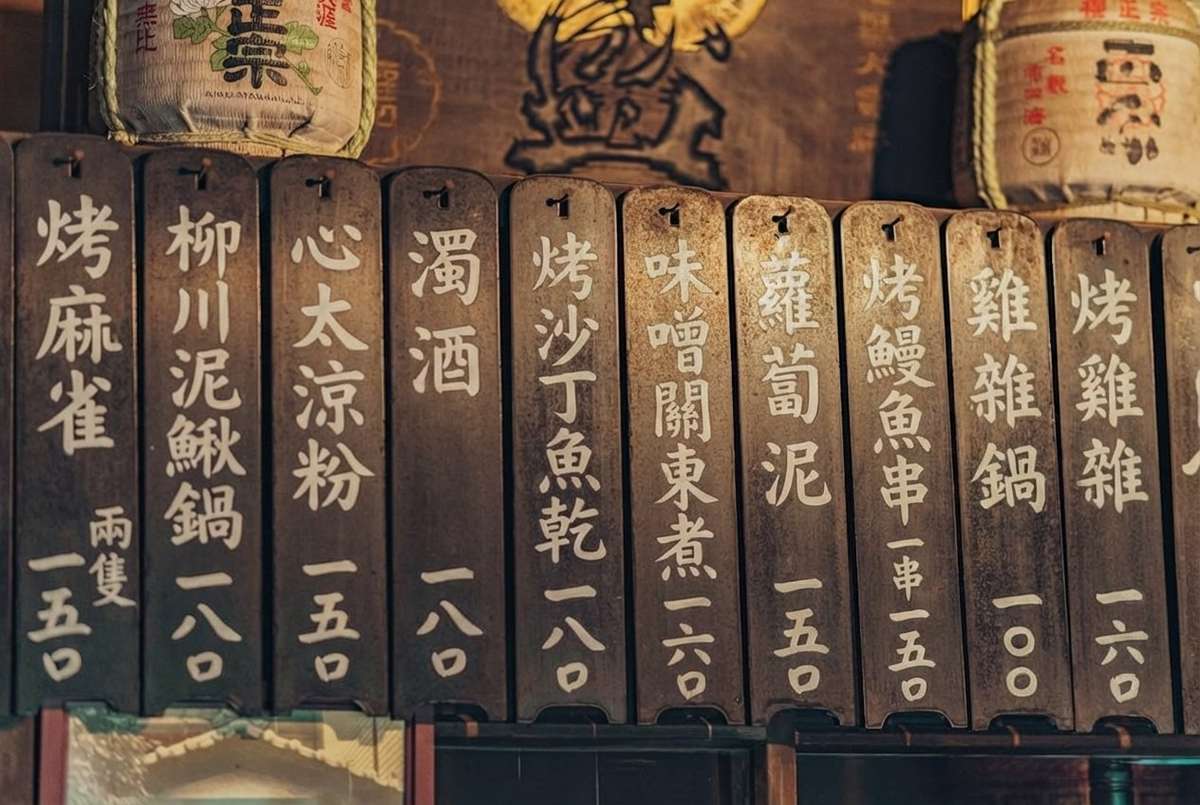
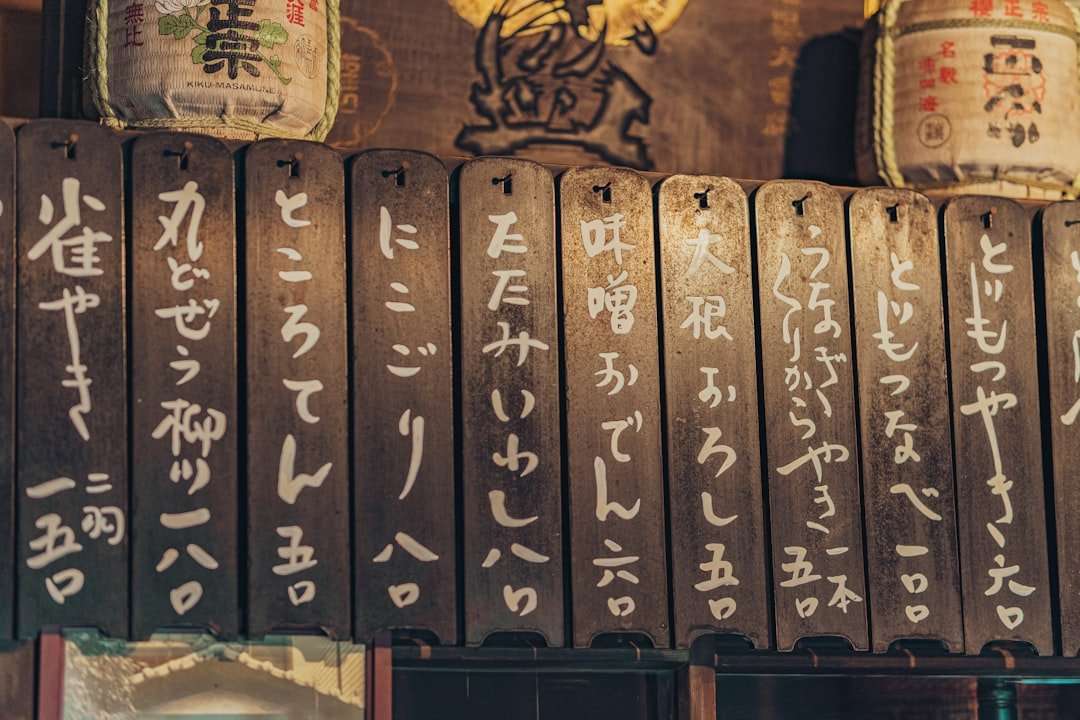
Musely Text in Bild ändern ist ein KI-gestütztes Tool für schnelle Stapel-Textbearbeitungen mit feiner Kontrolle über Layout und Farbe. Während andere Tools Texttausche einzeln abarbeiten, erlaubt Muselys Voreinstellung Batch Text Update das Ändern mehrerer Elemente in einem einzigen Durchlauf. Drei Voreinstellungen decken die häufigsten Workflows ab: Simple Text Change für eine schnelle Einzelbearbeitung, Batch Text Update für die gleichzeitige Aktualisierung mehrerer Textelemente in einem Bild und Brand Refresh zum konsistenten Ersetzen eines Firmennamens oder Slogans über viele Assets hinweg. Vier Ausrichtungsoptionen — Original beibehalten, Zentriert, Links und Rechts — ermöglichen eine Neupositionierung, wenn der neue Inhalt eine andere Länge hat. Drei Farbabgleichmodi — Exakte Übereinstimmung, Kontrast leicht verbessern und Lesbarkeit automatisch optimieren — geben Ihnen die Kontrolle darüber, ob der neue Text sich einpasst oder hervorsticht. Keine Designsoftware und keine Quelldateien erforderlich.
Unter der Haube
🤖KI-Textbearbeitungs-Engine
Formate und Leistung
Bildtext in drei Schritten ändern
Bild hochladen
Laden Sie ein beliebiges Bild hoch, das Text enthält, den Sie ändern möchten — Veranstaltungsplakate, Social-Media-Banner, Produktetiketten, Flyer, Website-Screenshots oder Marketing-Grafiken. Musely akzeptiert JPG-, PNG- und WebP-Formate.
Voreinstellung wählen und Änderungen beschreiben
Voreinstellungen für einen schnellen Start nutzen — Simple Text Change für eine Bearbeitung, Batch Text Update für mehrere Elemente oder Brand Refresh für unternehmensweite Updates. Textausrichtung und Farbabgleich feinjustieren. Alle Änderungen in einem einzigen Anweisungssatz beschreiben — Musely wendet jeden Eingriff in einem Durchlauf an.
Bearbeitetes Bild herunterladen
Musely KI generiert Ihr Bild mit allen angewendeten Textänderungen — Ausrichtung gesetzt und Farbe nach dem gewählten Modus abgeglichen. Ergebnis herunterladen oder weiter anpassen. Elemente, die Sie nicht geändert haben, bleiben unberührt.
Wer nutzt Musely Text in Bild ändern
Veranstaltungsplakate bei Termin- oder Ortsänderungen aktualisieren
Veranstaltungsdetails ändern sich in letzter Minute — Ortswechsel, Zeitverschiebung, Referent hinzugefügt. Musely ermöglicht mir, den Text auf bestehenden Plakatbildern in unter einer Minute zu aktualisieren, ohne zum Designer zurückzugehen. Schriftart und Farbe passen perfekt, und niemand kann erkennen, dass das Bild bearbeitet wurde. Mir spart das 150 € pro Eilkorrektur.
Kampagnengrafiken mit neuem Text auffrischen
Unsere bezahlten Social-Kampagnen laufen A/B-Tests mit verschiedenem Anzeigentext beim gleichen Visual. Musely ändert den Überschriften- oder CTA-Text auf unseren Bannerbildern in etwa 40 Sekunden und behält das Design dabei intakt. Ich teste 5 Textvarianten pro Bild, bevor das Design-Team eine einzige Revision abschließt.
Preise und Aktionen auf Produktbildern aktualisieren
Aktionspreise ändern sich in unserem Shop häufig. Musely aktualisiert Preisangaben und Aktionstext direkt auf Produktbildern in Sekunden. Die aktualisierten Preise entsprechen exakt der ursprünglichen Typografie. Ich aktualisiere 20–30 Produktbilder vor einem Wochenend-Sale in insgesamt etwa 30 Minuten.
Vorlagen mit individuellem Text für Kunden personalisieren
Ich verkaufe individuelle Grafiken an Kunden, die ihren Namen oder ihre Botschaft auf bestehende Designs setzen möchten. Musely ändert den Platzhaltertext in den benutzerdefinierten Text des Kunden und behält dabei alle visuellen Stile bei, die ich entworfen habe. Die Lieferzeit reduzierte sich von 2 Stunden Photoshop-Arbeit auf etwa 5 Minuten pro Auftrag.
Immobiliendetails auf Marketing-Bildern aktualisieren
Objektdetails wie Preis, Wohnfläche und Besichtigungszeiten ändern sich ständig. Musely aktualisiert diese Textelemente auf unseren Exposé-Grafiken, ohne das Objektfoto oder das Design-Layout zu berühren. Unsere Marketing-Koordinatorin bearbeitet alle Exposé-Aktualisierungen selbständig ohne Design-Software.
Markentext in bestehenden Marketing-Materialien auffrischen
Nach einer Marken-Slogan-Änderung hatten wir über 200 Bilder mit dem alten Slogan. Musely aktualisierte den Slogan-Text auf jedem Bild und bewahrte dabei exakt die Markenfonts und -farben. Das dauerte insgesamt etwa 3 Stunden statt des 2-wöchigen Neugestaltungsprojekts, das wir anfänglich eingeplant hatten.
Musely vs. andere Tools zur Bildtextbearbeitung
| Funktion | Musely | Canva | Adobe Express | Figma |
|---|---|---|---|---|
| Stapel-Textänderungen in einem Durchlauf | ✓ Ja — mehrere Elemente in einer Anweisung geändert | ✗ Eine Aktion pro Element | ✗ Eine Aktion pro Element | ✗ Manuelle Auswahl pro Textebene erforderlich |
| Textausrichtungssteuerung nach der Änderung | ✓ 4 Optionen: Original beibehalten / zentriert / links / rechts | ⚠ Manuelle Neupositionierung des Textfelds | ⚠ Manuelle Neupositionierung des Textfelds | ⚠ Manuelle Rahmen- und Auto-Layout-Anpassung |
| Farbabgleichmodi | ✓ 3 Modi: exakte Übereinstimmung / Kontrast verbessern / Auto-Optimierung | ✗ Nur manueller Farbwähler | ✗ Nur manueller Farbwähler | ✗ Nur manueller Farbwähler |
| Workflow-Voreinstellungen | ✓ 3 Voreinstellungen: Simple Change / Batch Update / Brand Refresh | ⚠ Nur Vorlagen (keine Textbearbeitungs-Voreinstellungen) | ⚠ Nur Vorlagen (keine Textbearbeitungs-Voreinstellungen) | ✗ Keine Textbearbeitungs-Voreinstellungen |
| Funktioniert ohne Quelldateien | ✓ Ja — jedes JPG / PNG oder WebP direkt bearbeiten | ✗ Benötigt Canva-Projektdatei | ✗ Benötigt Adobe-Express-Projektdatei | ✗ Benötigt Figma-Quelldatei |
| Verarbeitungsgeschwindigkeit | ✓ Typischerweise unter 45 Sekunden pro Bild | ⚠ Minuten (manuell) | ⚠ Minuten (manuell) | ⚠ Minuten (manuell) |
| Kostenloser Tarif | ✓ Ja / kostenlose Bilder verfügbar | ✓ Kostenloser Plan mit Einschränkungen | ✓ Kostenloser Plan mit Einschränkungen | ✓ Kostenloser Plan mit Einschränkungen |
Häufig gestellte Fragen
Ja. Die Voreinstellung Batch Text Update ist genau dafür gedacht. Beschreiben Sie alle gewünschten Änderungen in einer einzigen Anweisung — Musely wendet jeden Eingriff gleichzeitig an und bewahrt dabei Schriftstil, Ausrichtung und Farbe jedes einzelnen Elements. Das Bild muss nicht erneut hochgeladen und kein separater Durchlauf pro Textelement gestartet werden.
„Originalfarbe exakt beibehalten“ reproduziert den präzisen Farbwert des Quelltextes — am besten, wenn Markenfarbkonsistenz entscheidend ist und der Hintergrund bereits ausreichend Kontrast bietet. „Kontrast leicht verbessern“ verschiebt die Farbe minimal für bessere Lesbarkeit, bleibt dabei aber nah am Original — nützlich für Text auf mitteltönigen oder gemusterten Hintergründen. „Lesbarkeit automatisch optimieren“ lässt die KI die beste Farbe für Klarheit wählen, unabhängig vom Original — ideal, wenn der neue Text länger ist oder der Hintergrund komplex ist.
„Original beibehalten“ erhält die Ausrichtung des Quelltextes, sodass das Layout unverändert wirkt. „Zentriert“, „Linksbündig“ und „Rechtsbündig“ ermöglichen eine Neupositionierung des Ersatztextes innerhalb seiner Region ganz ohne manuelle Anpassung. Das ist nützlich, wenn der neue Text eine andere Länge als das Original hat und anders verankert werden soll — zum Beispiel linksbündig für eine kurze Ersetzung, die bei der ursprünglichen Zentrierung seltsam wirkenden Weißraum erzeugen würde.
Brand Refresh ist für das Ersetzen eines Firmennamens, Slogans oder anderer wiederkehrender Markentexte optimiert, die konsistent in vielen Bildern auftreten. Änderungen werden mit strenger Farb- und Typografietreue angewendet — die richtige Wahl bei Firmenumbenennungen, der Einführung eines neuen Slogans oder der Aktualisierung eines Produktliniennamens in einer großen Asset-Bibliothek. Sie ist für konsistente Skalierung ausgelegt, nicht für Einzelbearbeitungen.
Musely übernimmt den Layout-Umbruch automatisch. Die KI passt Schriftgröße, Zeilenumbrüche und Abstände an, damit der neue Text in den ursprünglichen Textbereich passt. Sie können dieses Verhalten mit den Ausrichtungsoptionen steuern — z. B. durch Linksbündigkeit für eine kürzere Ersetzung, die in einem zentrierten Layout sonst seltsam wirkenden Weißraum erzeugen würde. Für längere Ersetzungen auf komplexen Hintergründen sorgt „Lesbarkeit automatisch optimieren“ dafür, dass der neue Text auch dann gut lesbar bleibt, wenn er mehr vom Bereich ausfüllt.
Musely Text in Bild ändern akzeptiert JPG-, PNG- und WebP-Formate. Die Ausgabe kann in mehreren Seitenverhältnissen geliefert werden, darunter die ursprünglichen Proportionen, 1:1-Quadrat, 4:3, 3:4, 16:9 und 9:16. Das Tool funktioniert mit Fotos, Illustrationen, Screenshots, Marketing-Bannern und jedem Bild mit sichtbarem Text.
Musely bietet einen kostenlosen Tarif, der mehrere Bildtextbearbeitungen zum Ausprobieren des Tools beinhaltet — ohne Kreditkarte. Kostenpflichtige Pläne bieten höhere monatliche Limits für Nutzer, die regelmäßig Stapel von Produktbildern, Veranstaltungsmaterialien oder Marken-Asset-Bibliotheken aktualisieren.